
A smart lock is one of those quiet conveniences you only think about when it stops working—usually at the worst possible moment. The keypad goes unresponsive, the motor grinds, or the app shows “offline” just as you’re heading out the door. These failures rarely happen without warning. More often, they are the end result of skipped maintenance on a device that combines sensitive electronics with moving mechanical parts exposed to daily wear and the elements.
Regular maintenance is not about babying your lock. It is about protecting your security, avoiding lockouts, and getting years of reliable service from an investment that literally guards your home. Here is why smart locks demand attention—and exactly what to do to keep yours running smoothly.
Why Smart Locks Need More Attention Than Traditional Deadbolts
Smart locks are not traditional deadbolts with a keypad slapped on. They contain motors, gear trains, circuit boards, wireless radios, and battery contacts—all working together in a compact package mounted on a door that swings, slams, and expands with the seasons. That combination makes them vulnerable to a predictable set of failure modes.
Security Depends on a Healthy Lock
A lock that jams, misaligns, or runs outdated firmware is not just inconvenient—it can become a vulnerability. Firmware updates patch known flaws and close security gaps; skipping them leaves your lock, and your home, more exposed. Similarly, a misaligned bolt that doesn’t fully seat means your door isn’t actually secure, even if the app says it’s locked.
Small Problems Turn Into Expensive Failures
A dry deadbolt or a slightly misaligned strike plate puts extra strain on the motor and gearbox every single time the lock operates. Left alone, that strain accelerates wear until the motor runs but the lock no longer turns—a repair that is far costlier than a few minutes of lubrication and alignment checks. In severe cases, a jammed lock can even prevent physical key access, forcing a locksmith call-out.
The Environment Is Working Against Your Lock
Heat, cold, humidity, dust, pollen, and UV exposure all take a toll. Batteries lose capacity in cold weather, rubber seals degrade, and dust interferes with keypads and fingerprint sensors. Seasonal maintenance is how you stay ahead of that decay instead of reacting to it.
A Practical Smart Lock Maintenance Routine
You do not need to be a locksmith to keep a smart lock in good shape. A focused routine every few months covers the essentials. The goal is simple: keep the electronics clean and dry, keep the mechanics moving freely, and stay current on software.
Clean Gently—and Power Down First
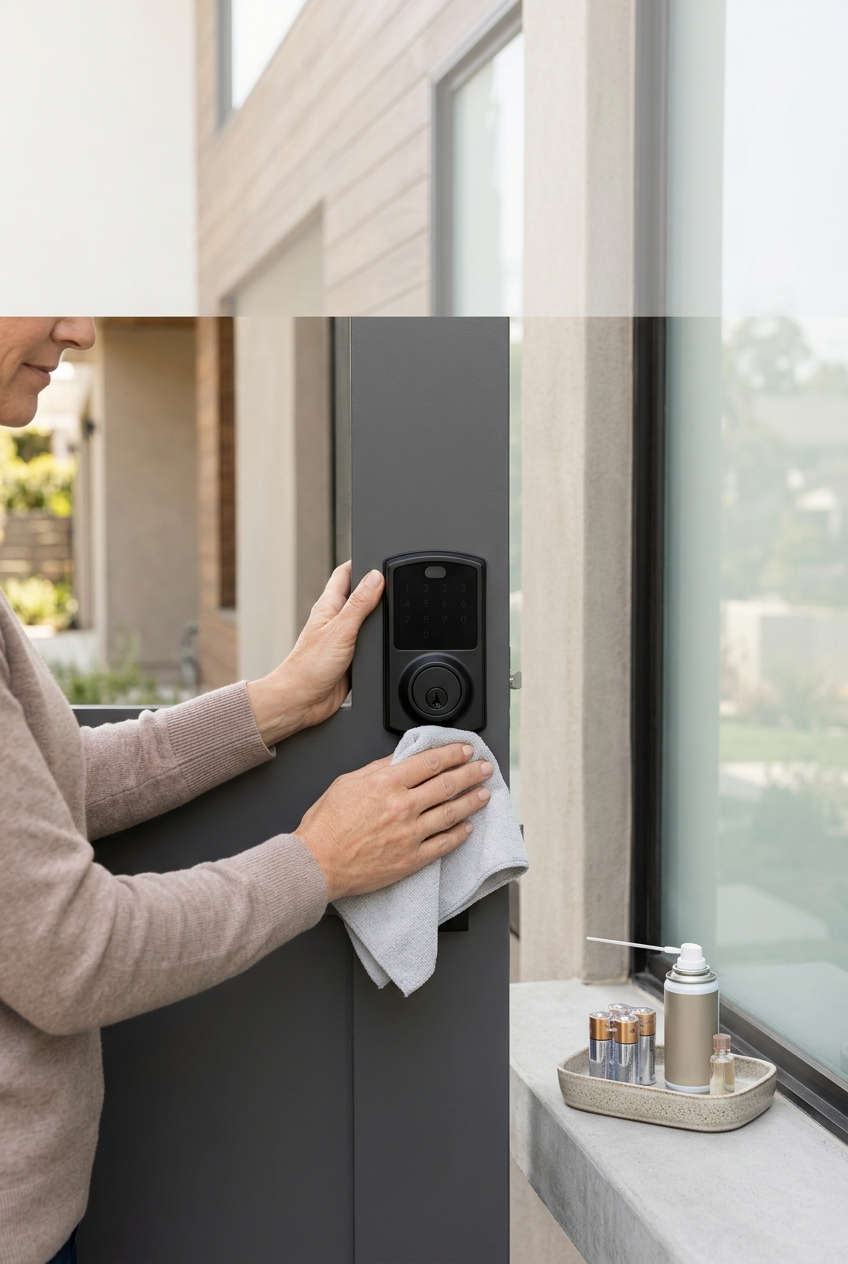
Before cleaning, power off the lock or remove the batteries to avoid accidental activation. Use a soft, lint-free microfiber cloth to wipe the exterior, keypad, and fingerprint scanner. For stubborn smudges, dampen a corner of the cloth with a tiny amount of water or mild soap—never spray liquid directly onto the lock.
Avoid harsh chemicals, abrasive cleaners, bleach, ammonia, and scouring pads, all of which can damage finishes and electronic components. Compressed air can help clear dust from crevices, but use it carefully and never force debris deeper into the mechanism. Dry thoroughly before restoring power. The reason this matters: moisture and chemical residue are two of the most common causes of premature keypad and sensor failure.
Lubricate the Right Parts With the Right Product
This is where many well-intentioned owners do more harm than good. Never use WD-40, silicone spray, or oil-based lubricants on a smart lock. These products attract dust and grime, eventually gumming up the mechanism and causing failure. Instead, use a dry graphite powder or a dry Teflon-based lubricant specifically designed for locks.
Apply a very small amount to the keyhole (if your lock has one) and the deadbolt latch, then operate the lock several times to distribute it. Dry lubricants work because they leave a thin film that reduces friction without trapping dirt—unlike wet oils, which become sticky over time and collect debris. For internal gear trains, accessible only on some models, manufacturers recommend cleaning out old, hardened grease and applying a small amount of fresh lithium-complex or graphite grease. That level of service is best left to a professional unless you are comfortable disassembling the unit.
Manage Batteries Proactively
Treat batteries as a maintenance item, not an emergency. Use high-quality, name-brand alkaline or lithium batteries as recommended by your manufacturer. Lithium cells are especially important in cold climates, where alkaline batteries can lose up to 60% of their capacity. Never mix new and old batteries, and replace the full set at once—mixing ages causes uneven discharge and shortens overall life.
Check the battery status in your app monthly, and enable low-battery alerts so you are never surprised. Once a year, or whenever you change batteries, wipe the metal contacts in the battery compartment with a dry cloth. Corroded contacts increase resistance, which makes the lock work harder and drains batteries faster. If you see white or green powder on the contacts, clean it gently and investigate whether moisture is entering the compartment.
Keep Firmware and Software Current
Firmware updates are not just about new features—they deliver security patches, bug fixes, and performance improvements that directly affect reliability and safety. Enable automatic updates if your lock supports them, or check the companion app quarterly and install updates promptly. An out-of-date lock is more vulnerable to attack and more likely to suffer from glitches that could have been fixed.
Check Door Alignment and Hardware
A sagging door or a misaligned strike plate forces the lock’s motor to work harder every time it extends or retracts the bolt. That extra strain is a leading cause of premature motor and gear failure. Periodically test the deadbolt by hand: it should slide smoothly without grinding or sticking. If it catches, check the door hinges and strike plate, and tighten any loose screws on the lock body and latch. Do not slam the door—gentle handling protects both alignment and internal components.
Test the Physical Backup
Every smart lock should have an emergency key or alternative power method. Test the physical key every few months to make sure it turns freely, and keep it accessible—not locked inside the house. If your lock supports emergency power via a USB port, know where that port is and keep a power bank handy. This step matters because when electronics fail, the mechanical backup is your only way in without damaging the door.
A Simple Seasonal Maintenance Calendar
Breaking maintenance into seasonal tasks makes it easier to remember and ensures nothing slips through the cracks. Think of it as a yearly rhythm that keeps your lock ahead of weather changes and wear cycles.
Spring: Post-Winter Inspection
After months of cold and moisture, check for corrosion in the battery compartment, stiff buttons, and any signs of water intrusion around the keypad. Clean pollen and dust from the exterior. This is also a good time to test the physical key and confirm the lock still aligns properly after winter wood expansion.
Summer: Heat and Dust Watch
Monitor battery life more frequently in high heat, which can accelerate drain and stress electronics. Check that rubber seals around the keypad are intact, and consider a small sunshade if the lock sits in direct sunlight. Dust and pollen are at their peak—wipe the keypad and fingerprint sensor weekly if your lock is outdoors.
Fall: Pre-Winter Prep
Replace batteries with fresh lithium cells before temperatures drop. Lubricate the deadbolt with a dry Teflon spray, test low-battery alerts, and confirm the emergency key is in good condition. This is the most important seasonal check because cold weather is when battery failures and stiff mechanisms cause the most lockouts.
Winter: Ice and Cold Care
Keep the keypad clear of ice and snow with a soft brush—never use hot water, which can crack the housing. Avoid touching cold metal with wet hands, and watch for any sluggishness in the motor, which can indicate a battery losing capacity in the cold.
Troubleshooting Common Smart Lock Problems
Even with good maintenance, issues happen. Here is how to diagnose the most common complaints—and why each fix works.
The Lock Is Completely Unresponsive
Start with the battery. Remove and reinsert the cells, checking for corrosion or loose contacts. If the lock still does not respond, try the emergency power method (USB port or backup battery terminal) if your model supports it. An unresponsive lock is almost always a power delivery problem—either dead cells, poor contact, or a failed power board. If emergency power brings it back, you know the issue is in the battery circuit, not the lock’s brain.
The Motor Runs but the Bolt Does Not Move
This usually points to a mechanical jam: a misaligned strike plate, a dry or dirty deadbolt, or a stripped gear. First, lubricate the deadbolt with dry Teflon and operate it manually several times. Then check door alignment. If the bolt moves freely by hand but the motor still strains, the gearbox is likely worn and needs professional service. Addressing alignment early prevents the motor from burning out.
The Keypad or Fingerprint Sensor Stops Responding
Dust, grime, moisture, and cold fingers are the usual culprits. Clean the surface with a dry microfiber cloth and try again. If only the fingerprint sensor fails, re-enroll your fingerprint—skin changes with age, dryness, and weather. If the keypad is unresponsive but the app works, the issue is likely the keypad membrane or its connection, which may require service.
The Lock Keeps Going Offline
Wi-Fi and Bluetooth dropouts are usually about signal strength, not the lock itself. Check your router or hub placement, reboot the lock, and confirm the batteries are fresh—weak batteries reduce radio range. If your lock uses a bridge or hub, make sure that device is online. Persistent disconnects after these steps may indicate a failing radio module.
Batteries Drain Much Faster Than They Should
Frequent low-battery warnings despite fresh cells can point to several things: a weak Wi-Fi signal forcing the radio to work harder, extreme cold, corroded contacts, or a firmware bug. Update firmware, clean the contacts, and check signal strength. If the problem continues, the lock may have a hardware fault worth diagnosing before it leaves you locked out.
When to Repair vs. Replace Your Smart Lock
Not every problem is a replacement problem—but not every lock is worth repairing, either. Here is a balanced way to decide.
When Repair Makes Sense
If your lock is under warranty, contact support before attempting any disassembly that could void coverage. A single failed component—a keypad, a battery contact, a motor—is often repairable at reasonable cost. If the lock is otherwise reliable and the issue is mechanical (alignment, lubrication, a jammed bolt), maintenance and minor service usually restore full function.
When Upgrading Is the Smarter Move
Consider replacing the lock if it is several years old and you are seeing repeated failures, if replacement parts are no longer available, or if the lock lacks modern security features like encrypted communication, auto-lock, and regular firmware support. Older locks that no longer receive updates become security liabilities over time. A replacement also makes sense if you have moved into a home with a lock of unknown history—you cannot verify its maintenance record or firmware status.
If you do upgrade, look for a model with a strong track record of firmware support, a mechanical key backup, and a battery life that matches your climate. The goal is not the fanciest lock—it is one you can maintain easily and trust for years.
Final Thoughts
A smart lock is a security device, a convenience tool, and a mechanical system all at once. It deserves the same preventive care you give your car or your HVAC system—not because it is fragile, but because neglect is the most common reason these devices fail prematurely.
The routine is genuinely simple: clean gently, lubricate correctly, stay on top of batteries, keep firmware current, and check alignment. Do that every few months, tie the bigger tasks to the seasons, and you will dramatically extend the life of your lock, reduce the risk of lockouts, and keep the security you paid for actually working when you need it most.
The best maintenance routine is the one you actually do. Set a recurring reminder in your phone, pair it with the changing seasons, and treat your smart lock like the critical piece of home infrastructure it has become. Start with one task today—check the batteries and clean the keypad—and build from there. Your future self, standing at the door with groceries in hand, will thank you.
You might also like,