
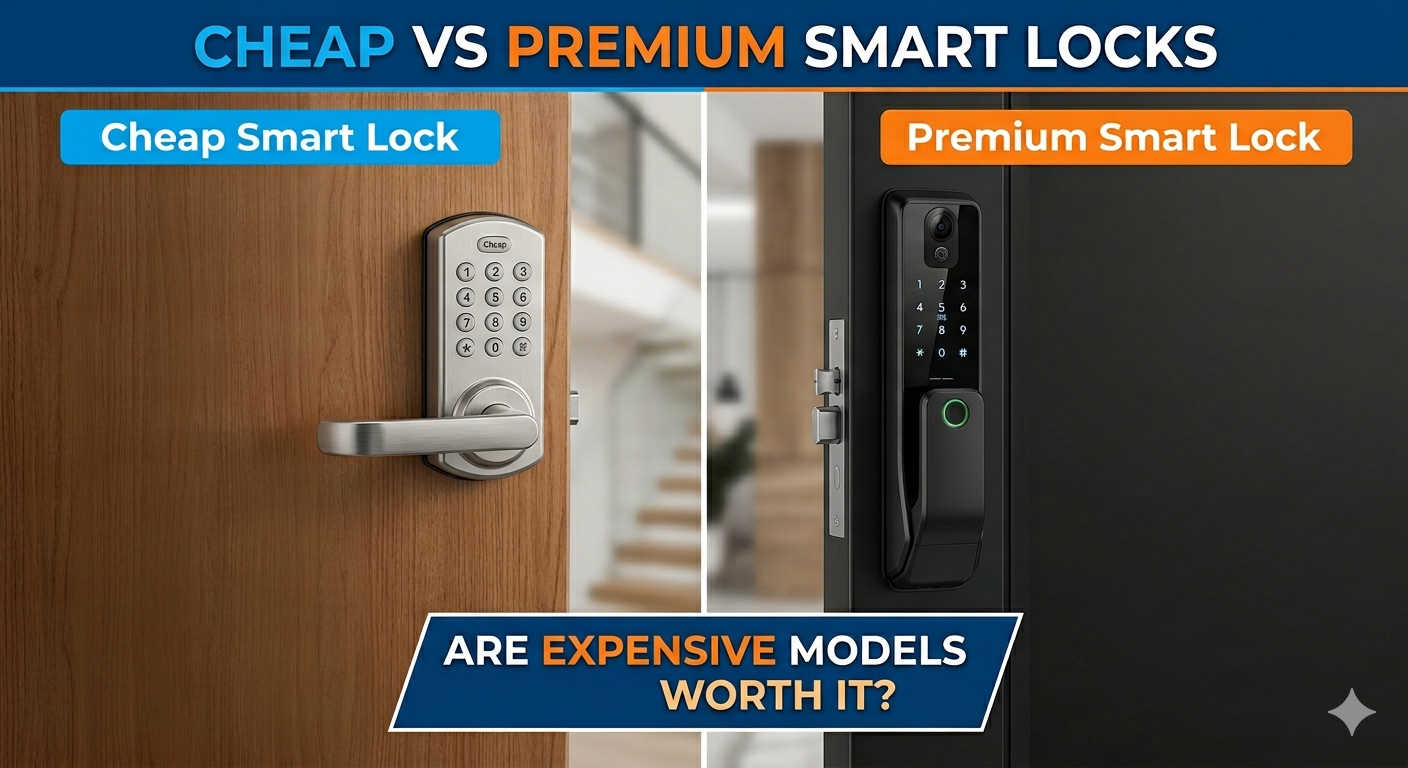
If you’ve spent any time scrolling through online listings for smart locks, you’ve probably hit a wall of confusion. On one end, you see a sleek fingerprint lock for the price of a nice dinner for two. On the other, a minimalist deadbolt replacement that costs as much as a mid-range smartphone.
It’s easy to assume the expensive one is just banking on a fancy logo. But is that really the case? Or does buying the bargain bin lock mean you’re leaving a digital key under the virtual doormat?
The reality is that the gap between cheap and premium has shrunk dramatically in recent years, but there are still critical lines you shouldn’t cross. Let’s walk through exactly where the money goes and how to find the lock that actually fits your door—and your life.
The Security Gap: Where Corners Get Cut
When you look at the metal keyhole itself, the difference between a budget lock and a luxury lock is often negligible. The industry standard for physical security—commonly referred to as Grade 3 or “C-Grade” lock cylinders—has trickled down to even affordable models. A $90 lock can now resist a drill or bump key just as well as one that costs triple.
However, the moment you step into the wireless world, the story changes.
The Hidden Risk of Cloned Keys
Most budget locks come with small key fobs or IC cards. They feel convenient—tap the card, door opens. But in recent testing of numerous models, security researchers found that a significant portion of these cards could be cloned with a simple, cheap device you can buy online. If you drop that card in a parking lot or lend it to a house sitter, they could theoretically make a permanent copy without you knowing.
Premium brands combat this by using advanced encryption on their RFID chips, often tied to a rotating code system that makes duplication useless.
The Face Unlock Trap
Facial recognition sounds like the pinnacle of convenience until you realize a low-quality sensor is just looking at a flat image. In some budget models, holding up a high-resolution photo on an iPad is enough to pop the door open. This isn’t sci-fi paranoia; it’s a well-documented flaw in locks that lack true 3D depth sensors or binocular infrared cameras.
If you are buying a lock with facial recognition, this is the one feature where “cheap” is genuinely dangerous. The premium price here buys you a sensor that checks for heat signatures and depth, ensuring only a real, living face gets in.
The Smart Home Experience: Simple Control vs. Total Integration
This is where your personal tech habits dictate the price.
The Budget Approach: Standalone Simplicity
A lock like the Wyze Lock Bolt or the Tapo DL110 is a marvel of value. For under $120, you get a responsive fingerprint reader, a backlit keypad, and an app that lets you check if the door is locked. They are reliable workhorses for the “set it and forget it” user.
But there’s a catch: You’re often stuck with Bluetooth. When you’re two blocks away wondering if you left the door open, a Bluetooth-only lock can’t tell you anything. You’ll need to walk back within 30 feet or buy a separate hub to connect it to your home Wi-Fi. The app experience is also more utilitarian—it unlocks the door, but it won’t dim the hallway lights for you.
The Premium Ecosystem: The Connected Home Conductor
When you step up to the Aqara UWB Smart Lock U400 or the Level Lock Pro, you’re not just buying a lock; you’re buying a butler for your front door. These locks speak the language of Matter and Thread, the new universal standard for smart homes. This means:
- Instant Response: Commands happen in a blink, not a three-second delay.
- Apple Home Key: Walk up and tap your iPhone or Apple Watch like a hotel keycard. No app opening, no fingerprint scan.
- Remote Peace of Mind: Built-in Wi-Fi lets you lock the door from the office and send a temporary code to the plumber even if you’re on vacation.
The Battery Paradox (Expensive Doesn’t Mean Longer)
Here’s a curveball that surprises many buyers: The most expensive locks often have the worst battery life.
High-end locks that use built-in Wi-Fi chips (like the August Wi-Fi) are power hungry. They maintain a constant, secure conversation with your router, which drains a set of AA batteries in about 3 to 5 months.
Meanwhile, a simpler, less connected lock like the Wyze Lock Bolt uses Bluetooth Low Energy and can hum along for 8 months to a year on the same batteries.
The durability win for premium locks is mechanical. High-end models from brands like Schlage or Lockly use reinforced metal gears inside. They are tested to withstand over 200,000 turns of the deadbolt—equivalent to a decade or more of slamming the door. A budget lock’s internal motor might wear down faster if you’re a heavy-handed user.
Installation: The Landlord Factor
One of the most practical differences has nothing to do with tech specs.
- Retrofit Locks (Often Premium): Models like the August and SwitchBot only replace the inside thumbturn. You leave your original deadbolt and keys untouched. This is a renter’s dream. It takes 10 minutes, and your landlord never knows you upgraded. When you move out, you pop it off and take it with you.
- Full Replacement Locks (Usually Budget): The Wyze Lock Bolt and many fingerprint locks require you to remove the entire deadbolt mechanism and install a new keyway. It looks cleaner and more integrated, but it’s a 45-minute job and you can’t easily revert to the old lock without a toolbox.
Product Recommendations: Finding Your Fit
Instead of just sorting by price, sort by lifestyle.
| If You Are… | Consider This… | Why It’s Right For You |
|---|---|---|
| A Renter or Condo Owner | SwitchBot Lock | Leaves existing keys intact. Simple app control. Landlord-approved. |
| Looking for Best Value | Wyze Lock Bolt | Fantastic fingerprint speed, long battery life, simple Bluetooth setup. |
| An Apple Household | Yale Assure Lock 2 Plus | Supports Apple Home Key (tap-to-unlock). Matter support for future-proofing. |
| Need Total Durability | Schlage Encode Plus | Built like a tank. Proven to last decades. Built-in Wi-Fi with no extra hub. |
| Want a Peephole Camera Combo | Lockly Vision | Premium all-in-one unit with a video doorbell and a unique “peek-proof” keypad. |
FAQ: Smart Lock Buying Clarified
Do I need a Wi-Fi bridge or hub for a budget lock?
If the lock advertises “Bluetooth only,” yes. You will need either a separate plug-in bridge (sold by the same brand) or an Alexa/Google speaker that acts as a hub if you want to control the lock from outside the house. Premium locks with “Built-in Wi-Fi” or “Thread” do not need a separate bridge.
Is a fingerprint lock safe in the rain or extreme cold?
Generally, yes. Most modern locks (even budget ones) have an IP54 or IP65 weather resistance rating. However, capacitive fingerprint sensors can struggle if your finger is wet or freezing cold. In that case, the backup keypad or physical key is essential. Premium models tend to have slightly better touchscreen responsiveness in low temperatures.
Can a hacker open my smart lock from a laptop?
This is extremely rare and requires proximity. A neighbor cannot open your lock from across the street. The risk is “Bluetooth relay attacks,” where someone captures the signal between your phone and the lock. Premium brands encrypt this signal so heavily that it cannot be reused. A budget lock with weak firmware is more susceptible to this, but the average burglar is still using a crowbar, not a code script.
What happens when the batteries die while I’m outside?
Almost every smart lock includes two backup options: 1) A set of emergency power terminals on the bottom (you can hold a 9V battery or power bank to it for a jump start). 2) A hidden physical keyhole. Never buy a lock that does not have a physical key backup.
Final Verdict: Is Premium Worth It?
For the vast majority of homeowners, the “Middle Ground” (Roughly $150 – $200) is the sweet spot of value and security. You get a lock that resists physical picking, provides reliable fingerprint access, and won’t fall apart in two years.
Spend the extra money on premium ($250+) if:
- You live in the Apple ecosystem and crave the convenience of Home Key.
- You own a rental property and need to manage 50 different guest codes remotely.
- You want a face unlock feature (and here, you absolutely must pay for the premium 3D sensor).
You can safely stick with budget ($80 – $120) if:
- You’re renting and can’t replace the whole lock.
- You simply want to stop carrying keys on your morning jog and don’t care about remote access.
The lock on your door is only one layer of home security. A $300 lock won’t stop someone from breaking a window, but a $50 lock might make you the easiest target on the block. Aim for the middle, and you’ll sleep soundly knowing you bought a product that respects both your safety and your wallet.