
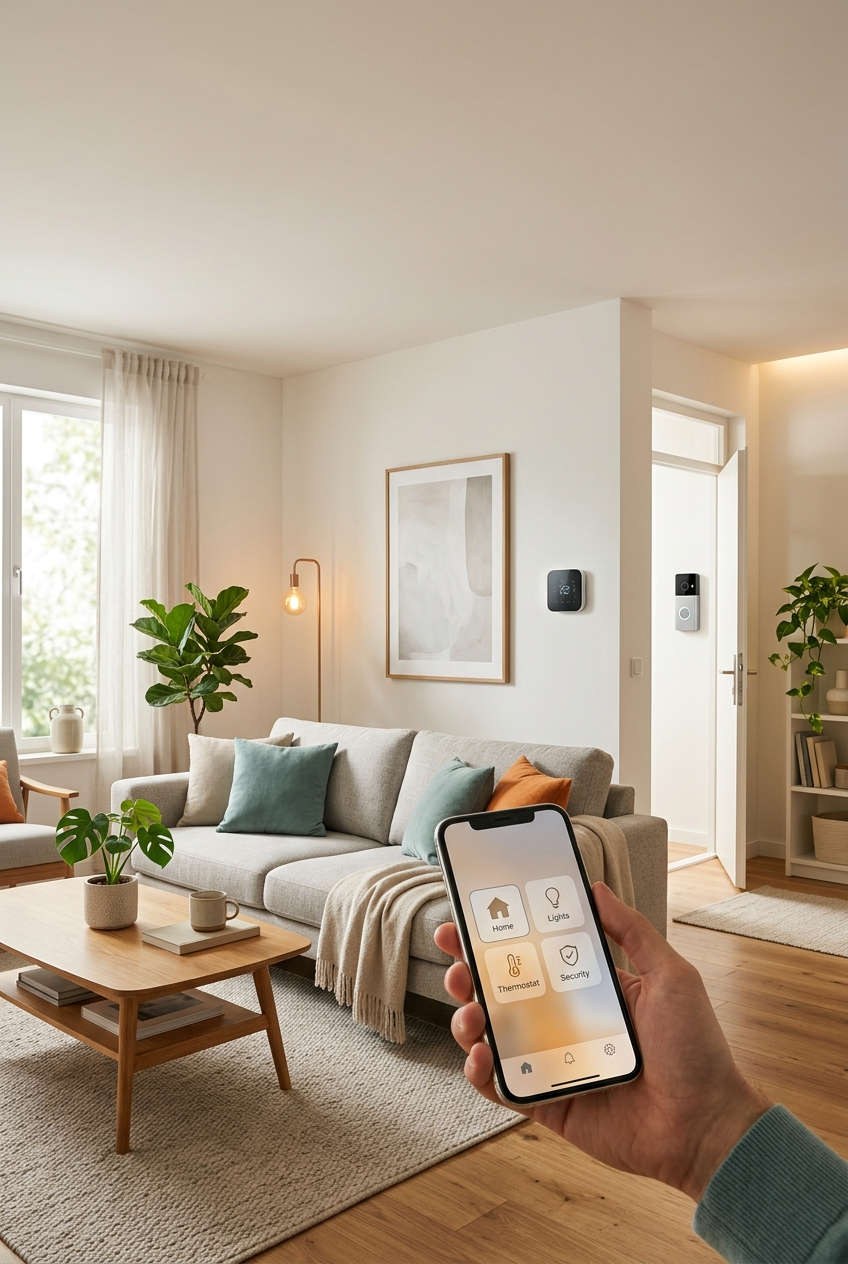
Smart home technology can make a property more valuable, but only when the upgrades solve everyday problems. A connected thermostat that trims the energy bill or a video doorbell that makes a front door feel safer will impress a buyer. A voice-controlled coffee maker probably won’t.
That difference matters because a few years ago, home automation was a novelty. Today, many buyers walk through a listing expecting at least some of it, the same way they expect a clean kitchen and working appliances. A home that already has sensible, well-installed technology feels updated and cared for, and it hints at lower running costs down the road.
In this guide, we’ll look at how smart features influence what buyers are willing to pay, which upgrades give you the most for your money, and how to fix the glitches that frustrate so many owners. We’ll also cover when it’s worth replacing older devices, and how to keep your connected home private and secure.
How Smart Home Technology Affects Property Value
Before spending anything, it helps to understand how buyers actually think. Most people don’t value a smart lock as a separate line item. Instead, they form an overall impression of the home, and connected features nudge that impression in a positive direction.
Why buyers respond to connected features
Running costs are a big part of the story. A buyer comparing two similar houses will often lean toward the one with a programmable thermostat and efficient lighting, because it suggests smaller monthly bills. Security plays a similar role. Features like a doorbell camera or a keypad lock help people picture themselves feeling safe in the space, which matters more than any spec sheet.
There’s also the simple matter of first impressions. A showing is short, and a quick demonstration, such as lowering the lights or adjusting the heat from a phone, leaves a memorable mark. It tells visitors that the owner kept the house up to date.
What to expect from the return
It’s worth being honest here: smart upgrades seldom return their full cost in an appraisal. Where they tend to help is in making a home more competitive. A listing with modern features can draw more interest, stand out among similar properties and sometimes sell faster. How much weight buyers give them depends on your neighborhood, your price range and the age of the house, so a quick chat with a local real estate agent is a smart first step.
Which Smart Home Upgrades Are Worth the Money
With so many gadgets on the market, the trick is to focus on the ones people use daily. The table below gives a quick snapshot, and the paragraphs after it explain the thinking behind it.
| Upgrade | What buyers like about it | Installation |
|---|---|---|
| Smart thermostat | Lower heating and cooling costs | Usually DIY |
| Video doorbell | Security and package alerts | DIY or simple wiring |
| Smart lock | Keyless entry and easy guest access | DIY |
| Smart lighting | Convenience and energy savings | DIY for bulbs, electrician for switches |
| Leak and smoke sensors | Early warnings that protect the house | DIY |
| Energy monitoring | Clear view of power use | Often an electrician |
The best place to begin
If you’re starting from scratch, a smart thermostat is hard to beat. It’s affordable, quick to install and gives you measurable benefits within the first month. A video doorbell and a smart lock make good companions because they improve security and everyday convenience at the same time, and buyers notice them the moment they reach the front door.
Smaller devices that quietly protect your home
Water leak sensors rarely get attention, yet they can be some of the most valuable gadgets in the house. Placed under a sink or next to a water heater, they alert you to a problem before it becomes a flooded floor. Connected smoke and carbon monoxide alarms work the same way, giving you an early warning even when you’re away.
When larger projects make sense
Whole-home lighting control, energy monitoring and solar with battery storage can strengthen a listing, but they involve more money and more planning. If you’re considering one of these, get a couple of quotes, hire a licensed professional and keep all the paperwork. A future owner will want to know exactly what was installed and how it works.
Everyday Benefits That Go Beyond Resale
Here’s the good news: you don’t have to wait until you sell to see a payoff. Most of the value shows up in daily life, which is exactly why these upgrades are worth considering even if a move isn’t on your radar.
Lower energy use without the effort
Schedules and sensors do the thinking for you. Your heating can ease off while you’re at work, and lights can switch off in empty rooms. Savings vary with your climate and habits, but small, automatic changes tend to add up over a year far more reliably than good intentions do.
Safety and peace of mind
Being able to check your front door from your phone, or confirm that you really did lock up, takes a surprising amount of worry off your plate. Alerts also mean you hear about unusual activity quickly instead of discovering it hours later.
Comfort for every stage of life
Voice control, automatic lighting and keyless entry make a home easier to use for older adults, people with limited mobility and anyone with their hands full of groceries. Landlords benefit too, since smart locks simplify tenant changes and remote access. And if you ever call your insurer, ask whether monitored alarms or water-leak protection qualify for a discount, because some providers offer one.
Troubleshooting Common Smart Home Problems
Even well-chosen devices misbehave now and then, and a home that constantly needs fixing is a hard sell for both you and a future buyer. The good news is that most issues come down to a handful of causes. Understanding why each fix works makes it much easier to solve problems quickly and avoid repeating them.
Devices keep going offline
This is the most common complaint, and it usually points to Wi-Fi rather than the device itself. Many smart gadgets use the 2.4 GHz band, which reaches further but gets crowded by neighbors’ networks and household electronics. Moving the device closer to the router, or adding a mesh node nearby, strengthens the signal so it doesn’t drop its connection. If the problem started after a router change, check that the network name and password are the same, since devices can’t reconnect to a network they no longer recognize.
Commands feel slow or get ignored
Lag often happens when too many devices share one overloaded network. Giving your router a restart clears its memory and reconnects everything cleanly, which is why it so often helps. If delays continue, look at how the device is connected. Some products route every command through the manufacturer’s servers, so a busy service or a weak internet connection can slow them down. Choosing devices that can also work locally on your network reduces that dependence.
Automations trigger at the wrong time
When lights switch on at odd hours or the heating runs when nobody’s home, check the time zone, daylight saving settings and location permissions in your app first. Automations rely on those details to know what “sunset” or “away” means. A wrong setting makes a perfectly good routine fire at the wrong moment. Also look for two rules that conflict, because overlapping schedules can cancel each other out.
The voice assistant doesn’t understand you
Before blaming the speaker, rename devices with short, distinct names. “Kitchen light” and “Kitchen lights” sound nearly identical to a microphone, so the assistant has to guess. Clear names remove that guesswork. It also helps to place speakers away from noisy appliances, since background sound competes with your voice.
A device stops working after an update
Firmware updates occasionally cause quirks. Power-cycling the device forces it to reload its settings, and removing then re-adding it in your app rebuilds the connection from scratch. If a new problem appears right after an update, check the manufacturer’s support page, because other owners are often reporting the same thing and a patch may already be on its way.
When It Makes Sense to Upgrade or Replace Smart Devices
Troubleshooting solves many problems, but not all of them. Sometimes the smarter move is to retire a device instead of fighting it, and sometimes the best choice is simply to keep what you have. A little honesty about your situation saves money either way.
Signs a replacement is worth considering
The clearest signal is lost support. If the manufacturer has stopped releasing security updates, or the app no longer works with your phone’s current software, the device becomes both unreliable and a potential weak point on your network. Repeated failures despite a fresh setup point the same way. So does hardware that can’t work with the rest of your system, such as an older gadget that doesn’t support newer standards like Matter and forces you to juggle several apps.
Who should hold off
If your devices work reliably, receive updates and do what you need, there’s little reason to swap them just because something newer exists. New models often add features you may never touch. Homeowners planning to sell soon should also think twice about large, expensive projects, since buyers care more about simple, working systems than the latest gadget.
Choosing a replacement with confidence
When you do replace something, look for a brand with a track record of software updates, support for open standards and a clear policy on how long it will maintain the product. Read reviews that mention long-term reliability rather than first-week impressions. A slightly pricier device from a dependable maker usually costs less over time than a bargain model that stops working in two years.
How to Plan a Smart Home Upgrade Without Overspending
A good plan matters more than a big budget. Homes that feel smooth and dependable usually started with a few thoughtful decisions rather than a shopping spree.
Start with your goal and your network
Decide what you want most, whether that’s lower bills, better security or a stronger listing. That goal tells you which devices deserve your money first. Then take a hard look at your Wi-Fi, because every connected device depends on it. If signal is patchy in parts of the house, a mesh system is often the best first purchase, since it fixes the cause of many problems before they appear.
Pick a platform that plays well with others
Choose devices that work with a system you already use, such as Apple Home, Google Home or Amazon Alexa. Products that support Matter are worth a look, because the standard is designed to let gear from different brands work together. That flexibility protects you if you want to switch brands later.
Know what to do yourself
Plug-in devices, bulbs, thermostats and most doorbells are friendly to DIY. Anything involving your electrical panel, hardwired switches or an EV charger belongs with a licensed electrician, both for safety and so the work meets local rules. Finally, buy in stages. Start with two or three items, live with them for a few weeks, and add more only when you know what you actually use. Keep receipts, manuals and warranty details in one folder so the next owner can pick up where you left off.
Keeping a Connected Home Private and Secure
Smart devices bring convenience, but each one is also a small computer on your network. Taking a few precautions keeps that convenience from turning into a worry, and it makes your home more trustworthy to anyone who inherits the system.
Start with the basics: replace default passwords with strong, unique ones, and turn on two-factor authentication for your accounts. Default credentials are widely known, so leaving them in place is like leaving a spare key under the doormat. Next, keep firmware and apps up to date, since updates often patch weaknesses that attackers could otherwise use. If your router supports a guest network, consider putting smart devices on it. That way, if one gadget is compromised, your laptop and phone sit on a separate network and stay out of reach.
Finally, think about what you’re sharing. Check which cameras and microphones are recording, where footage is stored and who can view it. When you sell, sign out of your accounts, reset each device and hand over clear instructions, so the new owner starts fresh and your personal data leaves with you.
Quick Answers to Common Smart Home Questions
A few questions come up again and again when homeowners start thinking about connected upgrades. Here are short, practical answers.
Do smart homes sell for more?
They often attract more interest and can sell faster, though a higher price isn’t guaranteed. The effect depends on your local market and which features the home has.
Do I need a hub?
Not always. Many modern devices connect directly to your phone’s home app. A hub becomes useful when you want devices that use different standards to work together smoothly.
Should I leave smart devices behind when I sell?
Installed items like thermostats, locks and doorbells commonly stay with the house, but confirm this in your sale agreement. Reset each one and remove your accounts before handing over the keys.
What should I upgrade first?
For most households, a smart thermostat is the easiest starting point. It’s inexpensive, simple to set up and gives you visible benefits quickly.
Final Thoughts: Make Your Home Smarter, Not Just Busier
Smart home technology adds the most value when it’s dependable, easy to use and aimed at real needs. Buyers respond to lower running costs, a stronger sense of security and a home that feels current, and you get to enjoy those benefits long before a for-sale sign goes up. When something misbehaves, the cause is usually a weak Wi-Fi signal, a confusing setting or an outdated device, and each of those has a straightforward fix.
You don’t need to overhaul everything at once. Pick one upgrade that would genuinely make your week easier, check that your network can support it and give it a few weeks before adding more. If you’ve got devices that already frustrate you, try the troubleshooting steps above first, since they cost nothing and often solve the problem. A calm, well-planned approach will leave you with a home that’s more comfortable now and more appealing whenever you decide to sell.
You might also like,