
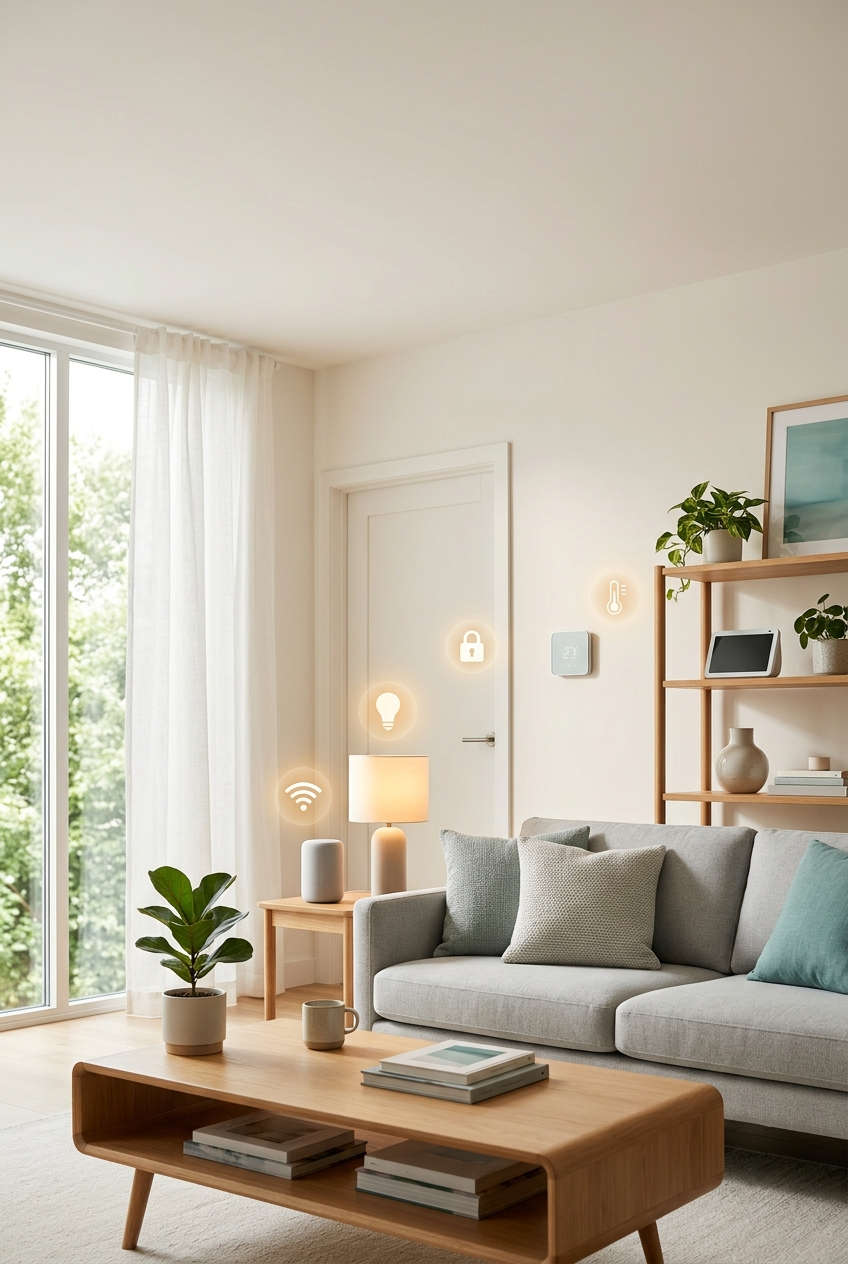
Not long ago, a smart home meant a custom installation, a hefty invoice and a wall panel nobody quite understood. Today it can mean a few well-chosen gadgets and an afternoon of setup. The right smart home automation devices can lower your energy bills, make your home feel safer and quietly take over the small chores you never enjoyed in the first place.
The tricky part is choosing. The market is crowded, brands don’t always get along, and it’s easy to end up with a drawer full of gadgets that can’t talk to each other. This guide walks through the best categories of smart home devices, explains what to look for in each, shows how to fix the problems that tend to crop up, and offers an honest take on when it’s time to upgrade.
What Smart Home Automation Really Does for You
Picture coming home after a long day. The porch light is already glowing, the thermostat has settled at a comfortable temperature, and the front door unlocks as you reach it. None of that requires you to tap a screen, because your devices have learned your routine or follow rules you set once and forgot about.
That is the real appeal of home automation. It trades small, repeated decisions for quiet background behavior, which adds up to less wasted energy, fewer “did I lock the door?” moments and a house that is easier to live in, especially for children, older relatives and anyone with limited mobility. Voice control and automatic schedules aren’t gimmicks for these households, they’re everyday accessibility tools.
Before buying anything, though, it helps to understand how these gadgets connect, because that choice shapes every purchase that follows.
Smart Hubs and Speakers: Choosing the Brain of Your Home
Every smart home needs a control point where your commands, routines and device connections live. For most people that is a smart speaker, a smart display or a dedicated hub, and the one you pick tends to decide which accessories play nicely together later.
Picking an Ecosystem That Fits Your Household
The simplest rule is to follow the phones your family already uses. Amazon’s Echo and Echo Show lineup offers the broadest device support and very mature routines, and several models double as hubs for Zigbee, Thread and Matter accessories. Google’s Nest Hub and Nest speakers shine at natural-sounding voice requests and work well if your life runs on Google Calendar, Maps and Photos. Apple’s HomePod and HomePod mini suit iPhone households, with tight Home app integration and a strong privacy reputation.
If you enjoy tinkering, Home Assistant is worth a look. It’s a free, open-source platform, usually run on a small dedicated box, that keeps control local and lets you automate almost anything, though it asks for more patience than the big three.
Why Matter and Thread Make Shopping Easier
Matter is the shared standard created so devices from different brands can work across Apple, Google, Amazon and Samsung platforms. In practice, a Matter logo on the box is your best protection against buying something that gets stranded in one company’s app. Thread, the low-power mesh network that many Matter devices use, adds a practical bonus: accessories tend to respond faster and can stay online even when your Wi-Fi is having a bad day.
Choose one main ecosystem, favor Matter-compatible accessories, and you’ll keep your options open as the market keeps changing.
Smart Lighting: The Easiest Upgrade to Start With
If you want a quick win, start with the lights. Smart lighting is affordable, needs no rewiring and delivers an instant “oh, that’s nice” moment, whether you’re dimming the living room for a movie or setting a gentle sunrise in the bedroom.
Smart Bulbs, Strips and Switches
Philips Hue remains the reference point for reliability and color quality, with bulbs, light strips, lamps and outdoor fixtures that work best when paired with its Hue Bridge. If budget matters more than polish, IKEA’s smart lighting range is inexpensive and increasingly Matter-friendly, while Nanoleaf and Govee lean into playful accent lighting for desks, shelves and game rooms.
There’s a catch with bulbs, however. Anyone who flips the wall switch (guests, kids, you on autopilot) cuts power to the bulb, and it vanishes from your app. That’s why many people prefer smart switches and dimmers such as Lutron Caseta. They control ordinary bulbs, keep the wall switch useful and are known for being dependable. Bulbs suit renters and color effects; switches suit whole rooms and fixtures with several bulbs.
Lighting Routines That Feel Natural
The best lighting automations are the ones you stop noticing. Warm, dimmer lights in the evening ease you toward bedtime, a motion sensor in the hallway lights the way for night-time bathroom trips, and an away scene that varies when lights switch on makes an empty house look lived in.
Smart Thermostats: Comfort That Can Lower Your Energy Bills
Heating and cooling usually make up the largest share of a home’s energy use, so the thermostat is the device most likely to earn back its price. A good one learns when you’re home, notices when you’ve left and adjusts without being asked.
Which Smart Thermostat Suits Which Home
The Google Nest Learning Thermostat builds a schedule from your habits and looks good on the wall, which makes it a solid “set it and forget it” choice. The ecobee Smart Thermostat Premium adds room sensors that balance temperatures across the house, handy if one bedroom is always freezing, and includes air quality monitoring. Honeywell Home’s T-series models are plain, dependable and gentler on the wallet. Homes without central ducting aren’t left out either, since smart radiator valves and mini-split controllers bring the same room-by-room control to radiators and split air conditioners.
Check Compatibility Before You Buy
Many thermostats need a common wire, usually called a C-wire, to supply constant power. Without it, the thermostat may reboot or lose its connection, so check your wiring first or choose a model that includes a power adapter. Manufacturers’ compatibility checkers take a couple of minutes and can save you a return.
Once it’s installed, turn on location-based away mode, lower the overnight temperature and glance at the monthly energy report. Savings depend heavily on your climate, insulation and habits, so treat advertised percentages as a best-case scenario rather than a promise.
Home Security Devices: Video Doorbells, Cameras and Smart Locks
Security is where smart technology offers the clearest peace of mind. You can see who is at the door while you’re at work, check on a pet from the sofa and lock up from the other side of the world. The trick is choosing gear that’s dependable and that respects your privacy.
Video Doorbells and Cameras
Ring, Google Nest and Eufy all make video doorbells with clear footage, two-way talk and motion alerts. Wired models never need charging, while battery models install in minutes, so the right pick depends on whether you have existing doorbell wiring. For cameras, look for at least 1080p video, good night vision, person and package detection, and a straight answer about where recordings are stored. Eufy is known for local storage that avoids monthly fees, Wyze for low prices, and Arlo and Ring for polished apps and weatherproof outdoor options. Whatever you choose, compare subscription costs first, because many cloud features sit behind a monthly plan.
Smart Locks Worth Considering
Locks from Yale, Schlage, August and Aqara open with a keypad, phone, fingerprint or voice command. They let you hand out temporary codes to guests, alert you when the kids get home and lock themselves at night. Pick a model that keeps a physical key backup and still works when the Wi-Fi drops, since a lock that fails closed on a bad day is worse than the one it replaced.
Keeping Your Security Gear Secure
Connected cameras and locks are only as safe as the accounts behind them. Use a unique password, turn on two-factor authentication and install firmware updates, which often patch security holes. Aim cameras at your own property, and let guests know when an indoor camera is running.
Smart Plugs, Sensors and Leak Detectors: Small Gadgets, Big Payoff
Some of the most useful smart home gadgets are also the cheapest. They don’t look impressive on a shelf, but they quietly make the rest of your system smarter and, in a few cases, save you from a very expensive surprise.
Smart Plugs for Instant Automation
A smart plug turns any lamp, fan or coffee maker into something you can schedule and control by voice. Brands such as TP-Link Kasa, Meross and Aqara make reliable options, and models with energy monitoring show what each appliance costs to run, which is oddly motivating. One safety note: use a plug rated for the load, and avoid running space heaters through a plug that isn’t built for them.
Motion, Door and Leak Sensors
Sensors from Aqara, Eve and Philips Hue act as the eyes of your system. A motion sensor can switch on the hallway light, a door sensor can tell your thermostat to pause when a patio door is left open, and a window sensor can alert you at night. Water leak detectors deserve special mention. Placed under a sink, beside the water heater and behind the washing machine, they spot a slow drip long before it becomes ruined flooring, and some systems can shut off the water supply automatically.
Smart smoke and carbon monoxide alarms, such as the Nest Protect or First Alert Onelink, round out the picture by telling you which room has the problem, even when you’re away.
Robot Vacuums, Smart Blinds and Other Convenience Upgrades
Once the essentials are running, a few devices can take over the chores you like least. These aren’t must-haves, but they’re the ones people tend to say they’d never give up.
Robot Vacuums and Mops
Roborock, iRobot Roomba, Eufy and Dreame all make models that map your home, steer around obstacles and return to a dock that empties the bin, and in higher-end versions washes the mop pads too. Strong suction matters, but reliable obstacle avoidance matters more if you have pets or loose cables on the floor. A self-emptying dock is worth the extra money for anyone who wants cleaning to be genuinely hands-free, and a schedule that runs while you’re out means you rarely notice it at all.
Blinds, Sprinklers and the Garage
Motorized shades from IKEA, Lutron, SwitchBot and Aqara can open with the sunrise and close in the afternoon to keep rooms cooler, and retrofit motors let you automate blinds you already own. Outside, smart sprinkler controllers from Rachio and Orbit adjust watering to the weather forecast so you’re not irrigating a lawn in the rain. A smart garage controller finally answers the question of whether you left the door open, and lets you close it from wherever you are.
How to Build a Smart Home Without Overspending
The most common mistake is buying everything at once. A smarter approach is to grow your system in stages, so each purchase earns its place before you add the next.
Begin with your ecosystem and a basic control point, such as a smart speaker or display. Add a few smart bulbs or switches and a plug or two, which cost little and teach you how routines work. Once you’re comfortable, move on to the devices that save money or protect your home: a smart thermostat if your heating and cooling system supports it, then a video doorbell, a smart lock and leak sensors. Only after that does it make sense to build routines like “leaving home” and “good night” that tie everything together.
Give it a month, then take an honest look. Which devices do you use daily? Which ones sit idle? That review keeps you from paying for features you don’t need, and it shows you where the next upgrade will actually help.
Smart Buying Habits That Save Headaches
Before you buy, check for Matter support or confirm the device works with your chosen ecosystem. Favor products with local control, so basic functions keep working during an internet outage. Read the privacy policy, paying attention to how long video and voice recordings are kept. And remember that prices, models and features change quickly, so confirm current details on the manufacturer’s site before you spend.
Smart Home Troubleshooting: Common Problems and Why the Fixes Work
Even a carefully planned smart home misbehaves now and then. The good news is that most problems trace back to a handful of causes, usually the network, a stale connection or a setting that quietly changed. Understanding why a fix works makes it much easier to solve the next problem on your own.
Devices Keep Dropping Offline
Start by restarting the device and then your router, in that order. Restarting clears a connection that has gotten stuck in a half-working state, and it forces the device to ask the router for a fresh connection. If the problem returns, check signal strength where the device sits. Many smart gadgets only support the 2.4 GHz Wi-Fi band, which travels farther than 5 GHz but is also more crowded, so moving the device closer, or adding a mesh node nearby, gives it a steadier link.
Another common culprit is the router handing out changing addresses. Reserving a fixed address for important devices in your router settings keeps your hub from losing track of them after a reboot. And if you have dozens of devices on an older router, it may simply be running out of capacity, in which case a newer router is the real fix.
Commands Are Slow or Ignored
A delay between asking and acting usually means the request is taking a long trip. Many devices send commands to a company’s cloud servers and back before anything happens, so a slow connection or a busy server shows up as lag. Switching to devices with local control, Matter or Thread shortens that trip, because commands stay inside your home. Updating firmware helps too, since manufacturers regularly fix response-time bugs.
When your assistant says a device isn’t responding, give each device a short, distinct name and remove duplicates. Assistants match your spoken words against a list of names, and two similar names confuse that match. If the account link has expired, unlinking and relinking the service refreshes the permission token that lets the assistant talk to the device.
Automations Don’t Run When They Should
Check the basics first: is the app’s time zone and home location correct? Schedules and sunrise or sunset triggers depend on them, so a wrong location can shift your routine by hours. Next, look at the trigger itself. A motion sensor with a weak battery may stop reporting long before it fully dies, so the automation never receives the signal that starts it. Finally, look for two routines that contradict each other, such as one turning a light off while another turns it on. Whichever runs last wins, which can make a perfectly good rule seem broken.
Battery Devices Die Quickly or Alerts Arrive Late
Battery-powered cameras, locks and sensors work harder when their Wi-Fi signal is weak, because they must keep retrying to connect. Improving the signal often extends battery life more than any other tweak. Lowering motion sensitivity or narrowing the detection zone also helps, since fewer false triggers means fewer wake-ups. If notifications are delayed, check whether a battery-saver mode is switched on. Those modes batch alerts to conserve power, trading speed for longevity.
When It Makes Sense to Upgrade or Replace a Smart Device
Troubleshooting solves most issues, but not all of them. Sometimes the honest answer is that a device has reached the end of its useful life, and spending more time on it costs more than a replacement would. A new gadget isn’t automatically better, so it helps to know when upgrading is worthwhile and when it isn’t.
Signs a Replacement Is Worth Considering
The strongest reason to replace something is security. If a manufacturer has stopped issuing firmware updates, or the company has shut down its cloud service, the device becomes a growing risk or simply stops working, and that’s especially true for cameras and locks. Repeated disconnections that survive a router fix, a battery that won’t hold a charge, or an app that no longer receives updates are other signs the device is fading. Compatibility is a quieter reason. If most of your system now runs on Matter and one older gadget sits in its own app, replacing it can simplify everything.
When Keeping What You Have Is the Smarter Move
If a device does its job reliably, you don’t need the newest model just because it exists. A smart plug from a few years ago that switches a lamp on schedule will do the same thing as a new one. Upgrading also rarely makes sense for a minor feature bump, such as slightly sharper video or a new color. In many cases a cheaper fix, such as a mesh Wi-Fi node, a fresh set of batteries or a hub that adds Matter support to older gear, will solve the problem for far less.
Who Benefits Most From Upgrading
Households that rely on security devices, people with spotty Wi-Fi who’d benefit from local-control gear, and anyone building around a new ecosystem are the likeliest to see real value. If you rent, favor portable, plug-in devices you can take with you, and think twice before replacing anything you can’t bring along.
Final Thoughts: Start Small and Let Your Smart Home Grow
You don’t need a futuristic mansion to enjoy the benefits of smart home automation. Pick one ecosystem, favor Matter-compatible devices and begin with the upgrades that solve a real annoyance, whether that’s lights left on, a thermostat that wastes energy or a door you worry about. Layer in security gear and small sensors as your confidence grows, and let routines handle the rest.
When something goes wrong, remember that the fix is usually simple. Restart the device and router, check the signal, tidy up names and automations, and keep firmware current. Each of those steps works because it removes a specific cause of trouble, and once you know why, problems feel much less intimidating.
So choose one room, add one or two devices and see how it feels for a few weeks. Which part of your daily routine would you most like to hand off first?