
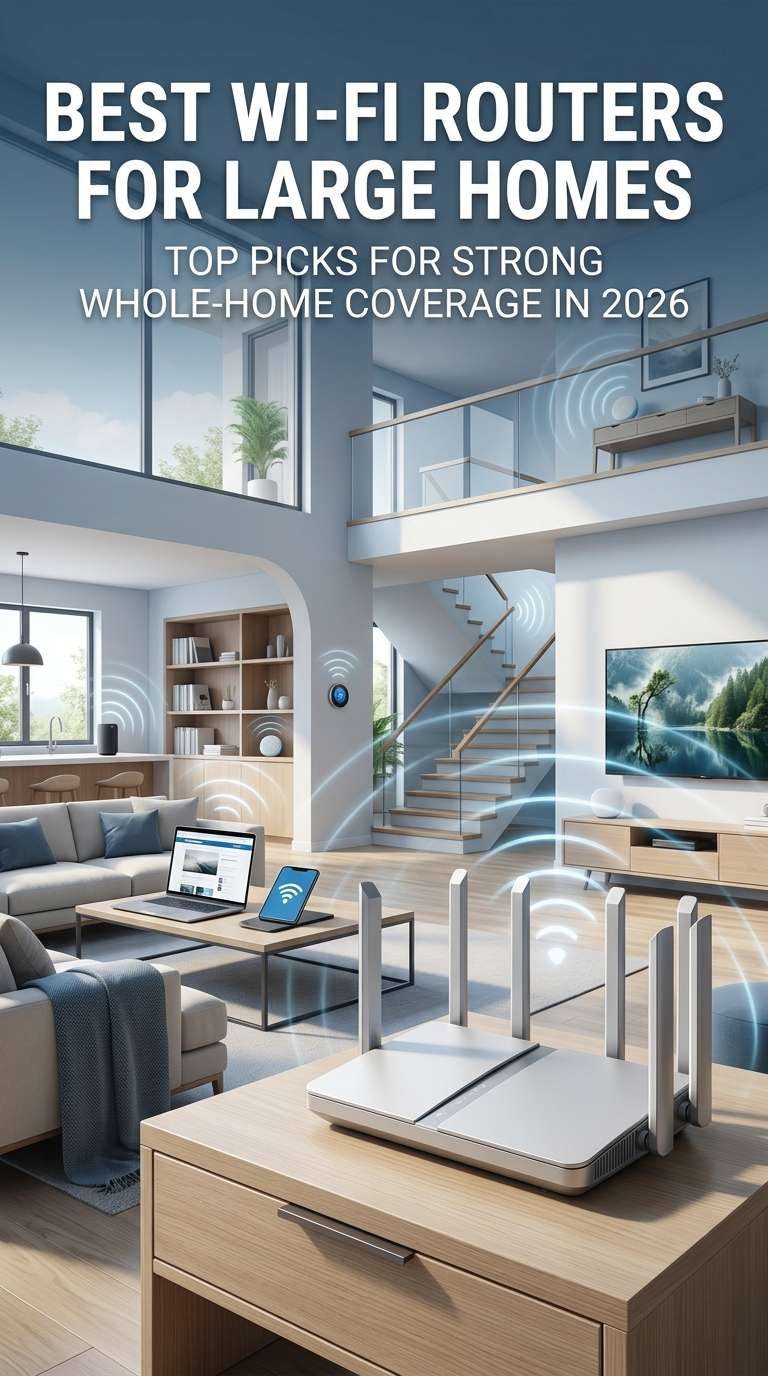
Getting reliable Wi-Fi throughout a large house can be surprisingly difficult. A router that works perfectly in a small apartment may struggle once you add multiple floors, thick walls, distant bedrooms, smart home devices, gaming consoles, streaming TVs, laptops, and other connected equipment.
The problem is not always your internet connection. In many cases, the real issue is how far the Wi-Fi signal has to travel and how many obstacles it encounters along the way.
That is why choosing the best Wi-Fi router for a large home requires more than looking at the fastest number on the box. Coverage, mesh capability, backhaul performance, Ethernet ports, device capacity, and router placement all play important roles.
For many large homes, a mesh Wi-Fi system is the most practical solution. Instead of asking one router to cover every room, a mesh system uses multiple access points that work together to deliver more consistent coverage.
This guide explains what to look for and highlights some of the best options worth considering in 2026.
What Makes a Wi-Fi Router Good for a Large Home?
Large homes present a different networking challenge than apartments or smaller houses.
Distance weakens wireless signals, while walls, ceilings, furniture, appliances, and building materials can reduce signal strength even further. Concrete and brick can be especially challenging.
A good large-home Wi-Fi system should therefore provide more than high peak speeds.
Look for a router or mesh system that offers:
- Strong whole-home coverage
- Reliable performance across multiple floors
- Good wireless backhaul
- Ethernet backhaul support
- Wi-Fi 6E or Wi-Fi 7
- Multiple Ethernet ports
- Support for many simultaneous devices
- Easy network expansion
- Useful security and management features
The right combination can make a noticeable difference in areas where a basic router leaves weak spots or dead zones.
Mesh Wi-Fi vs. a Traditional Router for a Large House
The biggest decision is often whether to buy a powerful standalone router or a mesh system.
A traditional router broadcasts Wi-Fi from one location. This can work well when the house is relatively compact and open, but coverage becomes more difficult as the distance between the router and your devices increases.
A mesh system uses two or more units positioned around the home. These units communicate with one another and provide a more consistent wireless network across a larger area.
For a large house with several floors, a mesh system will usually be the better option.
A standalone router can still make sense when the home’s layout is open and the signal has a relatively easy path to the rooms that need it.
Best Wi-Fi Routers for Large Homes at a Glance
| Wi-Fi Router/System | Best For | Wi-Fi Generation | Ideal User |
|---|---|---|---|
| TP-Link Deco BE63 | Best overall | Wi-Fi 7 | Most large homes |
| ASUS ZenWiFi BQ16 Pro | Premium performance | Wi-Fi 7 | Power users |
| NETGEAR Orbi 970 Series | Very large properties | Wi-Fi 7 | Multi-gig households |
| eero Max 7 | Simple setup | Wi-Fi 7 | Users who want easy management |
| TP-Link Deco XE75 Pro | Best value | Wi-Fi 6E | Budget-conscious buyers |
Specifications, package sizes, and coverage claims can vary by region and configuration, so it is worth checking the exact model before buying.
TP-Link Deco BE63
The TP-Link Deco BE63 is one of the strongest all-around choices for a large home.
It combines Wi-Fi 7 technology with a mesh design, making it particularly useful when one router simply cannot provide consistent coverage throughout the property.
The main advantage is balance. You get modern wireless technology, strong performance, multi-gigabit networking, and the flexibility to expand the network without moving into the most expensive category of home networking equipment.
The Deco platform also makes the setup relatively approachable for people who do not want to spend their weekend manually configuring routers and access points.
Why consider the Deco BE63?
It is a good fit for households with multiple connected devices, newer smartphones and laptops, smart TVs, game consoles, streaming equipment, and increasingly fast internet connections.
Its multi-gigabit Ethernet connectivity is also useful for wired devices and network equipment that can take advantage of faster-than-gigabit connections.
Who should buy it?
Choose the Deco BE63 when you want a strong combination of coverage, Wi-Fi 7 performance, expandability, and price.
Who should look elsewhere?
Users who need the absolute highest-end wireless performance or extremely advanced networking controls may prefer a more premium system.
ASUS ZenWiFi BQ16 Pro
The ASUS ZenWiFi BQ16 Pro is designed for buyers who want a more advanced and performance-focused mesh system.
Its Wi-Fi 7 platform makes it suitable for demanding networks with multiple high-bandwidth devices and fast broadband connections. It is also designed to work as part of ASUS’s broader mesh ecosystem.
One of its biggest strengths is flexibility. ASUS provides a substantial range of configuration and networking features, which can appeal to experienced users who want more control over their home network.
Why consider the BQ16 Pro?
This system is a strong choice for large homes where performance matters and the network may need to handle heavy simultaneous traffic.
It is particularly suitable for households with fast fiber internet, high-end PCs, multiple streaming devices, and newer Wi-Fi hardware.
Who should buy it?
Buyers who want premium Wi-Fi performance and more advanced control should put this system on their shortlist.
Who should skip it?
It may be unnecessary for smaller homes, slower broadband plans, or households with relatively few connected devices.
NETGEAR Orbi 970 Series
The NETGEAR Orbi 970 Series sits firmly in the premium category.
It is designed for large properties and users who want to take advantage of extremely fast internet connections. Its multi-gigabit wired networking also makes it a strong choice for homes that use fast local storage, high-speed desktops, workstations, or other bandwidth-intensive equipment.
The big selling point is scale.
For a very large home, especially one with multiple floors or difficult coverage areas, a high-end mesh system can be considerably more practical than trying to force one router to cover everything.
Why consider the Orbi 970?
It makes sense when you have a large property, a high-speed fiber plan, and enough demanding devices to justify premium networking equipment.
Who should buy it?
Consider the Orbi 970 when coverage, capacity, and multi-gigabit performance are more important than keeping the budget low.
Who should skip it?
Most average households do not need a system this expensive. A more affordable Wi-Fi 6E or Wi-Fi 7 mesh system can provide excellent results without paying for features you may never use.
eero Max 7
The eero Max 7 takes a simpler approach to home networking.
Rather than focusing heavily on technical controls, eero puts a lot of emphasis on easy installation, straightforward management, and a streamlined app experience.
That makes it appealing to people who want reliable Wi-Fi without spending a lot of time adjusting settings.
The Max 7 also provides the advantages of Wi-Fi 7 and multi-gigabit wired connectivity, making it suitable for modern high-speed home networks.
Why consider the eero Max 7?
Its biggest strength is convenience.
For households where multiple people use phones, tablets, laptops, TVs, smart devices, and game consoles, a simple management experience can be just as valuable as raw performance.
Who should buy it?
It is a good choice for users who want premium hardware without a complicated networking experience.
Who should choose something else?
Advanced users who want extensive manual configuration options may prefer ASUS or another platform with a stronger emphasis on detailed control.
TP-Link Deco XE75 Pro
Not everyone needs Wi-Fi 7.
For many homes, Wi-Fi 6E provides plenty of performance, especially when the main goal is reliable whole-home coverage rather than chasing the newest specification.
The TP-Link Deco XE75 Pro remains a compelling option because it combines a three-band design, mesh coverage, and 6GHz connectivity at a lower price than many high-end Wi-Fi 7 systems.
Why consider the XE75 Pro?
It is particularly attractive for households that want broad coverage and modern wireless performance but do not have a strong reason to pay extra for Wi-Fi 7.
Who should buy it?
Choose the XE75 Pro when value matters and most of your devices do not require Wi-Fi 7.
When should you upgrade later?
Consider moving to Wi-Fi 7 when you upgrade to a multi-gigabit internet plan, replace several devices with Wi-Fi 7 hardware, or need additional wireless capacity for demanding applications.
Wi-Fi 7 vs. Wi-Fi 6E for Large Homes
One of the biggest questions buyers face is whether they should jump directly to Wi-Fi 7.
Wi-Fi 7 is the newer standard and offers several technical improvements designed to increase throughput, efficiency, and flexibility.
However, newer does not automatically mean better value.
Wi-Fi 6E can still be an excellent choice for a large home, particularly when the majority of your devices use Wi-Fi 6 or older technology.
Wi-Fi 7 makes more sense when:
You have a multi-gigabit internet connection, several Wi-Fi 7 devices, heavy local network traffic, or you expect to keep your networking equipment for many years.
Wi-Fi 6E makes more sense when:
You want excellent performance while keeping the purchase price under control, and you do not currently have many Wi-Fi 7 devices.
The most important point is that both can provide excellent coverage when the mesh system is properly designed and positioned.
Why 6GHz Matters in a Large Home
Wi-Fi 6E and Wi-Fi 7 can use the 6GHz band, which provides additional spectrum for compatible devices.
This can be particularly useful in crowded wireless environments where the traditional 2.4GHz and 5GHz bands are heavily used.
The 6GHz band can provide fast connections with relatively low congestion, but there is an important tradeoff: higher-frequency signals generally do not travel through walls as effectively as lower frequencies.
That means 6GHz is excellent for nearby high-speed connections, but it should not be treated as a magic solution for distant rooms.
This is another reason mesh placement remains so important.
Wired Backhaul vs. Wireless Backhaul
If you are installing a mesh system in a large home, pay close attention to backhaul.
Backhaul is the connection used by mesh nodes to communicate with each other.
Wireless backhaul
Wireless backhaul is convenient because you do not need Ethernet cables between rooms.
The downside is that the mesh nodes have to share wireless capacity with your devices. Depending on the system and layout, this can reduce performance.
Ethernet backhaul
Ethernet backhaul connects your mesh units with network cables.
This usually provides a faster and more consistent connection between nodes while leaving more wireless capacity available for your phones, laptops, TVs, and other devices.
For a large home that already has Ethernet wiring, wired backhaul should be one of the first things you consider.
How Many Mesh Nodes Do You Need?
More is not always better.
Adding too many mesh units can create unnecessary overlap and may make the network more complicated than it needs to be.
A medium-to-large house may work well with two nodes, while a larger multi-floor property may require three or more.
The ideal number depends on:
- Total floor area
- Number of floors
- Wall construction
- Home layout
- Router placement
- Backhaul type
- Outdoor coverage requirements
Instead of buying the largest package immediately, think about where your dead zones actually occur.
How to Place a Mesh Router Correctly
Router placement can make an enormous difference.
Put the primary router in an open location rather than hiding it inside a cabinet.
Keep it reasonably central to the part of the home you want to cover.
For additional mesh nodes, avoid placing them at the extreme edge of your existing coverage. They need to receive a good signal from the previous node.
A common mistake is putting a satellite in the dead zone itself. By that point, the node may already have a weak connection to the rest of the network.
A better approach is to position it between the main router and the area with poor coverage.
Best Wi-Fi Routers for Gaming in a Large Home
Gaming does not necessarily require the fastest router available.
Latency, stability, and connection consistency are more important than impressive theoretical throughput.
For the best experience, connect a gaming PC or console using Ethernet whenever possible.
When wired networking is not practical, choose a mesh system with strong backhaul performance and good coverage in the gaming area.
Wi-Fi 7 can be useful for newer gaming devices, but simply buying an expensive router will not eliminate every latency problem. Your internet connection, game server, local congestion, and wireless environment still matter.
Best Wi-Fi Routers for Smart Homes
Smart homes can put significant demands on a router.
A modern house may have smart cameras, lights, locks, thermostats, speakers, appliances, TVs, phones, tablets, and computers all connected at the same time.
The number of devices matters because a network can feel overloaded even when internet usage is relatively light.
A good router for a smart home should therefore offer strong device handling, dependable coverage, guest-network support, security features, and convenient management.
Mesh systems can be especially useful because smart devices are often spread throughout the home rather than concentrated in one room.
Best Wi-Fi Setup for Thick Walls
Thick walls are one of the biggest reasons a single-router setup struggles.
Brick, concrete, metal structures, and dense building materials can interfere with wireless signals.
In these homes, adding more powerful antennas to one router is not necessarily the best answer.
Instead, place mesh nodes closer to the areas that need coverage.
Wired backhaul is particularly valuable here because the nodes can communicate through Ethernet rather than relying on a wireless connection that has to pass through multiple walls.
Should You Replace an Older Wi-Fi Router?
A router does not necessarily need to be replaced just because a newer model exists.
However, an upgrade becomes worthwhile when your current router is struggling with coverage, cannot keep up with your internet plan, lacks modern security support, or regularly drops connections.
Older Wi-Fi 5 equipment can still work perfectly well for basic use, but newer Wi-Fi 6E and Wi-Fi 7 systems offer better options for large, device-heavy households.
Replace your current router when:
Your home has persistent dead zones, your wireless speeds are inconsistent, your router frequently becomes overloaded, you have upgraded to a significantly faster internet plan, or you want to build a more expandable whole-home network.
Keep your current router when:
Coverage is already strong, your internet speed is modest, your devices work reliably, and you do not have a practical reason to upgrade.
There is little value in spending hundreds of dollars simply to have the newest Wi-Fi standard.
When Should You Replace a Mesh System?
Mesh systems can also become outdated.
A replacement may be worthwhile when your current nodes cannot deliver the speeds you pay for, lack newer security features, have poor compatibility with your devices, or cannot provide acceptable coverage without using an excessive number of satellites.
You may also want to replace an older mesh system when upgrading to multi-gigabit fiber.
A network capable of gigabit-class performance may become a bottleneck when paired with a much faster internet connection.
What Ethernet Ports Should You Look For?
Ethernet ports are easy to overlook when shopping for Wi-Fi equipment.
For many households, gigabit Ethernet remains adequate.
However, 2.5Gbps Ethernet is becoming increasingly useful as multi-gigabit internet plans and high-speed home networks become more common.
Premium systems may also include 10Gbps Ethernet.
Consider your current internet plan and your likely needs over the next several years before paying extra for faster ports.
Do You Need a 10Gbps Router?
Most households do not.
A 10Gbps-capable router makes sense when you actually have an internet connection approaching that speed or when you regularly move large files between high-speed wired devices.
For a typical household with a 500Mbps or 1Gbps connection, spending heavily on 10Gbps networking may not provide a noticeable everyday improvement.
Use your budget where it will have the biggest impact: coverage, mesh performance, placement, and backhaul.
Common Mistakes When Buying a Large-Home Router
Choosing based only on the advertised speed
Wireless speed ratings are theoretical and are not the same as the speed a single device will experience.
Ignoring the home layout
A router designed for a large open house may perform very differently in a multi-story property with concrete walls.
Putting every mesh node too far apart
A mesh node cannot magically create a strong connection when its own connection to the network is weak.
Buying too many nodes
More equipment can create unnecessary complexity and overlapping coverage.
Ignoring wired networking
Ethernet can significantly improve mesh performance and reliability.
Paying for features you will never use
High-end Wi-Fi 7 equipment is impressive, but it can be unnecessary for modest internet plans and basic households.
How to Choose the Right Router for Your Home
Rather than starting with a specific brand, start with your home’s requirements.
First, determine the approximate size of the property.
Next, consider the number of floors, wall construction, and any separate areas such as garages, workshops, or home offices.
Then look at your internet speed and the devices you use most often.
A household with a 300Mbps plan and basic streaming needs has very different requirements from a household with multi-gigabit fiber, multiple workstations, gaming PCs, smart cameras, and Wi-Fi 7 devices.
This approach helps prevent overspending.
Which Wi-Fi Router Is Best for Most Large Homes?
The TP-Link Deco BE63 is one of the best choices for users looking for a balanced Wi-Fi 7 mesh system.
It offers modern wireless technology without moving as far into the premium price range as some flagship competitors.
It is a particularly good fit for larger households that want room to expand their network over time.
Which Is the Best Premium Wi-Fi Router?
The ASUS ZenWiFi BQ16 Pro is a strong option for users who want premium performance and extensive networking capabilities.
It is better suited to buyers who have fast broadband and demanding networking requirements.
You are paying for more than just coverage, though, so it makes the most sense when you can actually take advantage of the extra performance.
Which Is Best for Extremely Large Homes?
For very large properties and demanding multi-gigabit networks, the NETGEAR Orbi 970 Series is a strong premium choice.
Its combination of high-end wireless hardware and multi-gigabit Ethernet makes it particularly suitable for households that do not want their networking equipment to become the bottleneck.
Which Is Best for Simple Setup?
The eero Max 7 is worth considering for users who value easy installation and straightforward network management.
It is a particularly attractive option for households where simplicity is more important than having every advanced configuration option.
Which Is the Best Value?
The TP-Link Deco XE75 Pro remains a smart choice for buyers who want strong coverage and 6GHz connectivity without paying a premium for Wi-Fi 7.
It is especially appealing when your existing devices do not yet support Wi-Fi 7.
Frequently Asked Questions
What is the best Wi-Fi router for a large home?
For many households, a Wi-Fi 7 mesh system is the best approach. The TP-Link Deco BE63 is a strong overall choice, while the ASUS ZenWiFi BQ16 Pro and NETGEAR Orbi 970 are better suited to premium users.
Is mesh Wi-Fi better than a single router?
For large homes, mesh Wi-Fi is usually more practical because multiple nodes can provide coverage across different rooms and floors.
How many mesh routers do I need for a large house?
It depends on the property’s size, construction, layout, and number of floors. Two nodes may be enough for some homes, while larger or more complicated properties may need three or more.
Is Wi-Fi 7 worth it in 2026?
Wi-Fi 7 is worth considering when you have newer devices, fast internet, or want a network that is better prepared for future upgrades. It is not essential for everyone.
Does Wi-Fi 7 improve range?
Wi-Fi 7 primarily improves capacity, efficiency, and performance. It should not be viewed as a guarantee of dramatically longer range.
Is Ethernet backhaul worth it?
Yes. Ethernet backhaul can improve mesh reliability and performance by providing a dedicated wired connection between nodes.
Can I use Wi-Fi extenders instead of mesh?
You can, especially when you only need to fix a small coverage problem. For a large house with several weak areas, a dedicated mesh system is generally the cleaner solution.
Can a Wi-Fi router cover multiple floors?
It can, but performance depends heavily on construction and router placement. A mesh setup is often more reliable when several floors need consistent coverage.
Should I buy Wi-Fi 6E or Wi-Fi 7?
Choose Wi-Fi 7 when you want the latest technology, have compatible devices, or use very fast internet. Choose Wi-Fi 6E when value matters and your current devices do not justify the upgrade.
Final Thoughts
Finding the best Wi-Fi router for a large home is really about building a network that matches the property.
A high-end single router may be impressive on paper, but it cannot always overcome several floors, thick walls, and long distances. In many cases, a well-designed mesh system will deliver a much more consistent experience.
The TP-Link Deco BE63 is a strong all-around choice for most large homes, while the ASUS ZenWiFi BQ16 Pro is better suited to demanding users who want premium performance. The NETGEAR Orbi 970 makes sense for very large properties and high-speed networks, while the eero Max 7 is attractive for users who want simple management. For buyers who want to spend less while still getting 6GHz connectivity, the TP-Link Deco XE75 Pro remains a compelling alternative.
Most importantly, do not choose a router based on speed ratings alone. Consider your home’s layout, internet plan, connected devices, Ethernet wiring, and future needs.
A properly positioned mesh system with wired backhaul can often outperform a much more expensive router that is simply trying to push a signal through too many walls.
You might also like,
Best Mesh Wi-Fi for Smart Homes in 2026 (Top 5 Picks + Buyer’s Guide)
Comments are closed.