
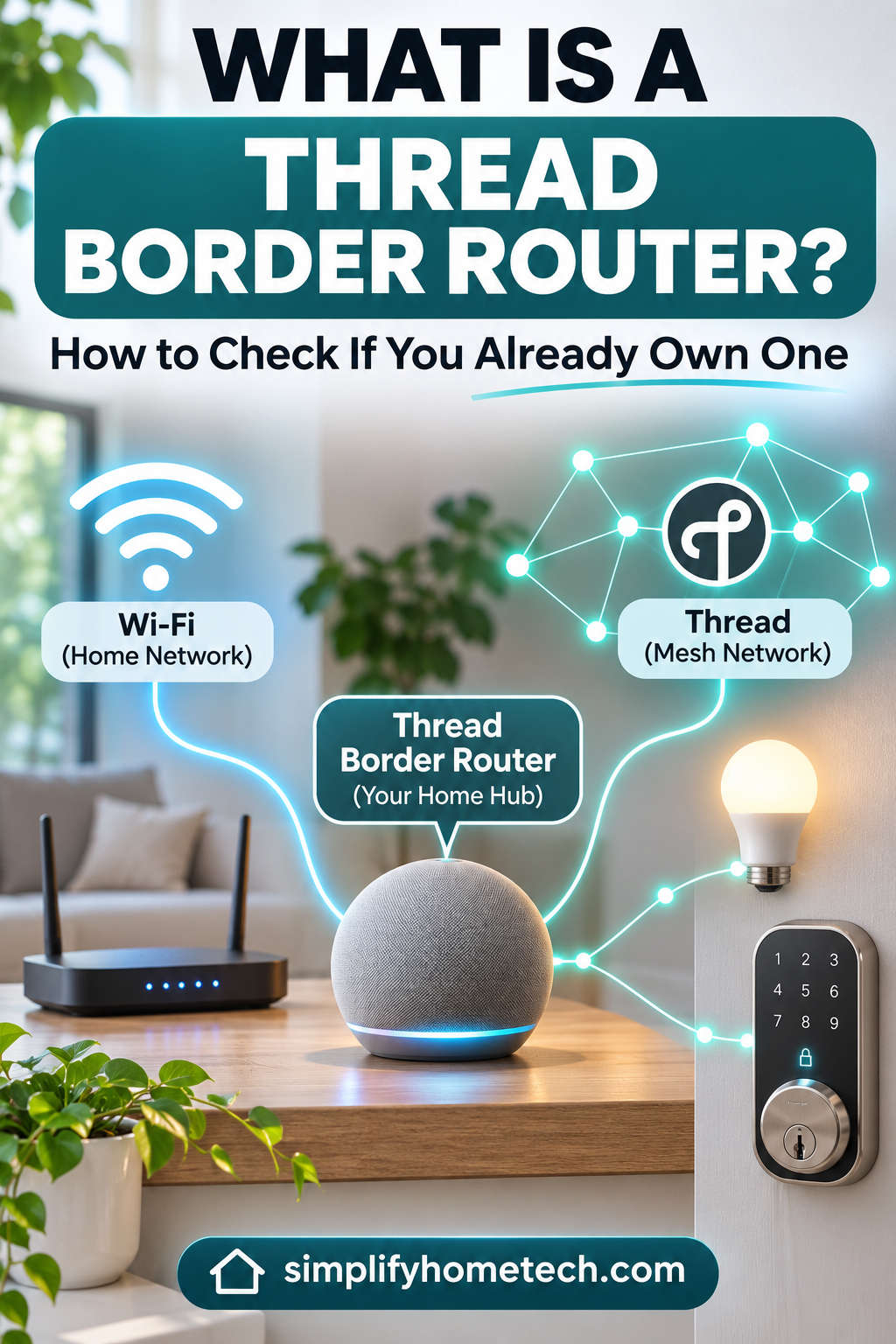
Have you recently purchased a Matter-compatible smart lock, smart bulb, or motion sensor, only to discover that it requires a Thread border router? If so, you might be wondering what this device does and whether you need to buy another piece of smart home equipment.
The good news is that you may already own a Thread border router without realizing it. Many popular smart speakers, streaming devices, and home automation hubs have this technology built in.
A Thread border router helps low-power smart devices communicate with your home network. It plays an important role in making modern smart homes more responsive, energy-efficient, and reliable.
But not every smart home hub supports Thread, and owning a Matter-compatible device doesn’t automatically mean you have a Thread border router.
In this guide, we’ll explain what a Thread border router is, how it works, which devices include one, and how to check your existing smart home setup. We’ll also cover common connection problems and practical ways to fix them.
What Is a Thread Border Router?
A Thread border router is a device that connects a Thread wireless mesh network to your regular home network, usually through Wi-Fi or Ethernet.
Thread is a low-power wireless networking technology designed for smart home accessories. It works particularly well with devices that need to stay connected while using very little electricity, such as:
Smart door locks
Motion and contact sensors
Smart thermostats
Temperature and humidity sensors
Smart lighting accessories
Other battery-powered home automation devices
Unlike traditional Wi-Fi devices, Thread accessories communicate through a dedicated mesh network.
Compatible mains-powered Thread devices can pass information between one another, helping create a stronger network across your home.
However, Thread devices still need a way to communicate with smartphones, smart home controllers, and other devices on your main network.
That’s where the Thread border router comes in.
Think of it as a connection point between your Thread accessories and the rest of your smart home.
For example, if you have a Thread-enabled smart lock and a HomePod mini, the HomePod mini can act as the border router that makes the lock accessible through your Apple Home setup.
You don’t necessarily need to purchase a separate networking device because the required functionality may already be built into equipment you use every day.
How Does a Thread Border Router Work?
Thread uses a low-power wireless mesh network based on IEEE 802.15.4 technology. It typically operates in the 2.4 GHz frequency band but communicates differently from Wi-Fi.
Instead of requiring every accessory to connect directly to a central router, Thread allows eligible devices to relay information across the network.
This provides several practical advantages.
Thread Creates a Self-Healing Mesh Network
In a Thread network, compatible mains-powered devices can help forward messages between accessories.
Imagine a smart lock installed near your front door, with a Thread-enabled smart plug positioned in the hallway.
If the smart plug supports Thread routing, it may help relay messages between the lock and other devices in the mesh.
When a communication path becomes unavailable, Thread can often find another suitable route.
This self-healing design helps improve reliability, especially in homes where walls, furniture, and distance can weaken wireless signals.
However, battery-powered Thread accessories generally don’t act as mesh routers. They usually connect through nearby router-capable devices to conserve energy.
A Border Router Connects Thread to Your Main Network
Thread uses IPv6, allowing compatible devices to communicate using Internet Protocol.
The border router connects this low-power network to your existing local network.
For example, when you unlock a Matter-over-Thread smart lock using your phone, the command can travel through your home network, reach the Thread border router, and continue to the lock.
The border router provides network connectivity rather than functioning as a universal controller for every smart home product.
This distinction matters because a Thread border router and a Matter controller perform different jobs, even though some devices include both capabilities.
Thread Border Router vs. Wi-Fi Router vs. Matter Controller
It’s easy to confuse these technologies because they often appear in the same smart home setup.
However, each serves a different purpose.
| Device | Primary function | Thread support |
|---|---|---|
| Wi-Fi router | Connects wireless devices to your local network and internet | Only on supported models |
| Thread border router | Connects Thread accessories to other IP networks | Yes |
| Matter controller | Sets up and controls compatible Matter devices | Doesn’t always include Thread |
| Smart home hub | Manages accessories and automations | Depends on the model |
| Zigbee hub | Connects Zigbee-based smart devices | Not necessarily |
A standard Wi-Fi router cannot automatically communicate with Thread accessories.
Similarly, a Matter controller may support Matter-over-Wi-Fi devices without being able to connect Matter-over-Thread accessories on its own.
Some modern smart speakers and hubs combine these functions, making setup much easier.
Which Devices Have a Built-In Thread Border Router?
Before buying new equipment, check the smart home devices you already own.
Several popular products from Apple, Google, Amazon, and other manufacturers include Thread border router functionality.
Apple HomePod and Apple TV
Apple offers Thread connectivity through selected HomePod and Apple TV models.
Compatible devices include:
HomePod mini
HomePod (2nd generation)
Apple TV 4K (2nd generation)
Apple TV 4K (3rd generation, Wi-Fi + Ethernet model)
These devices can connect supported Thread accessories to Apple Home.
However, not every Apple TV includes Thread. For example, the Wi-Fi-only version of the third-generation Apple TV 4K does not have the same Thread networking capability as the Wi-Fi + Ethernet version.
The original HomePod also lacks built-in Thread support.
Who benefits most? Apple Home users who already own a compatible HomePod or Apple TV can often add Matter-over-Thread accessories without purchasing a separate border router.
Google Nest and Google TV Devices
Google includes Thread border router functionality in several products, including:
Nest Hub (2nd generation)
Nest Hub Max
Nest Wifi Pro
Google TV Streamer (4K)
These devices can help connect compatible Thread accessories within a Google Home environment.
Be careful when checking older products. For example, the first-generation Nest Hub doesn’t offer the same Thread functionality as the second-generation model.
Amazon Echo and eero Routers
Amazon has also introduced Thread support across selected Echo and eero devices.
Examples include:
Echo (4th generation)
Echo Hub
Echo Show 10 (3rd generation)
Supported Echo Show 8 models
Echo Dot Max
Selected eero Wi-Fi systems
Some Echo devices act as Matter controllers without offering Thread border router functionality.
Therefore, it’s important to verify your exact model rather than assuming every Alexa-enabled speaker supports Thread.
Other Thread-Compatible Smart Home Hubs
Thread functionality is also available in selected Samsung SmartThings products, Homey systems, and other smart home controllers.
Home Assistant users can create a Thread border router using compatible hardware and the appropriate software.
Because manufacturers regularly introduce new devices and firmware features, always check the specifications for your particular model.
How to Check If You Already Own a Thread Border Router
You don’t need specialist tools to identify most Thread border routers.
In many cases, checking the model of your smart speaker, streaming device, or home automation hub is enough.
Here are the most practical methods.
1. Check Your Smart Home Device Specifications
Start by listing the smart home equipment you already own.
Look for devices such as smart speakers, streaming boxes, mesh Wi-Fi routers, and home automation controllers.
Find their exact model numbers and check the technical specifications for terms such as “Thread border router” or “built-in Thread.”
Why this works: Different generations of the same product can have different wireless capabilities. Checking the exact model prevents you from confusing Matter compatibility with Thread support.
If the specifications only mention Matter, don’t assume Thread is included.
2. Check Thread Support in Apple Home
If you use Apple Home, you can identify compatible home hubs directly from your setup.
Open the Home app on your iPhone or iPad.
Select the More button.
Open Home Settings.
Find Home Hubs & Bridges.
Review your connected HomePod and Apple TV devices.
Compare their model numbers with Apple’s Thread-supported models.
If you own a HomePod mini or another compatible device, you likely already have the necessary hardware.
Why this works: Apple Home displays the home hubs associated with your setup. Identifying their models helps confirm whether Thread connectivity is available.
Keep in mind that the app may not explicitly label each device as a Thread border router.
3. Check Google Home Devices
Google Home users should begin by identifying their connected Nest or Google streaming devices.
Open the Google Home app and review the devices linked to your home.
If you own a Nest Hub (2nd generation), Nest Hub Max, Nest Wifi Pro, or Google TV Streamer, check its Thread functionality.
On the Google TV Streamer, you can also look for Thread settings under Settings > Network & Internet.
Why this works: Supported Google devices can provide Thread network connectivity, but the available settings vary by product.
If a Thread option isn’t visible, verify the model and firmware before assuming the feature is unavailable.
4. Check Amazon Alexa or eero
For Amazon devices, open the Alexa app and identify your Echo model.
Compare it with Amazon’s supported Thread border router models.
If you have an eero mesh system, open the eero app and check your router model and its Thread settings.
Why this works: Amazon supports Thread through selected products rather than every Echo or eero device.
Checking the model helps determine whether you already have compatible hardware.
5. Check Home Assistant
Home Assistant provides more detailed networking information for users who want greater control over their smart home.
To inspect Thread connectivity:
Open Home Assistant.
Go to Settings > Devices & services.
Find the Thread integration.
Open its configuration.
Review the available Thread networks and border routers.
Depending on your setup, Home Assistant may discover existing Thread networks and compatible border routers.
Why this works: The integration helps identify Thread network information that may not be visible through ordinary smart home apps.
However, discovering a network doesn’t necessarily mean Home Assistant has the credentials required to join it.
How to Know Whether Your Thread Network Is Working
Finding a compatible border router is only the first step. You should also confirm that your Thread accessories can communicate reliably.
Start with a device you know uses Thread, such as a Matter-over-Thread smart lock or contact sensor.
Open its smart home app and check whether the accessory appears online.
Then try a simple command.
For example, you might check a motion sensor’s latest activity or control a smart light.
If the device responds consistently, your network is probably functioning correctly.
However, a successful command doesn’t always prove that Thread is being used. Some smart devices support several connection methods.
For a more accurate check, review the accessory’s connection details using its manufacturer’s app or a compatible diagnostic tool.
Also watch for frequent disconnections, delayed responses, or repeated pairing failures. These can indicate weak coverage or network configuration problems.
Do You Need a Thread Border Router for Matter Devices?
Not every Matter device needs a Thread border router.
Matter is a smart home interoperability standard, while Thread is a networking technology.
Matter accessories can communicate over different network types, including Wi-Fi, Ethernet, and Thread.
| Matter device type | Thread border router needed? |
|---|---|
| Matter-over-Wi-Fi smart plug | No |
| Matter-over-Wi-Fi light bulb | No |
| Matter-over-Ethernet device | No |
| Matter-over-Thread smart lock | Yes |
| Matter-over-Thread motion sensor | Yes |
For instance, a Matter-compatible Wi-Fi smart plug connects through your existing Wi-Fi network.
A Matter-over-Thread door lock needs access to a Thread network and a border router for normal communication with controllers outside that mesh.
You’ll also need a compatible Matter controller for commissioning and controlling your Matter accessories.
Understanding this difference can prevent unnecessary hardware purchases.
Can You Have Multiple Thread Border Routers?
Yes. A home can contain more than one Thread border router.
In fact, having multiple compatible border routers can improve network resilience.
If one becomes unavailable, another may continue providing connectivity.
However, there’s an important limitation.
Multiple Thread border routers don’t always operate on the same Thread network.
Devices from different ecosystems may create separate Thread networks with different credentials.
For the greatest benefit, compatible border routers should participate in the same Thread mesh when supported.
This can provide additional network paths and improve reliability without creating unnecessary separate networks.
Common Thread Border Router Problems and Fixes
Even a compatible setup can occasionally experience connectivity problems.
Fortunately, many issues can be resolved without replacing hardware.
Thread Border Router Not Found
A smart home app might report that no Thread border router is available, even when you own a compatible device.
Start by checking that the border router is powered on and connected to your main network.
Then install available firmware updates and restart the device if necessary.
Why it works: A border router must maintain both its Thread functionality and its connection to the main network. Restarting can restore stalled services, while firmware updates may address compatibility problems.
Matter-over-Thread Device Won’t Pair
If an accessory is detected but pairing fails, confirm that your Matter controller and Thread border router are online.
Enable Bluetooth on your phone if the setup process requires it, and keep the phone near the accessory during commissioning.
Also check that your home network allows local device discovery.
Why it works: Matter commissioning involves securely discovering the accessory and providing the information needed to join the network. Interruptions during this process can prevent setup from completing.
Thread Smart Lock Keeps Disconnecting
Smart locks may experience connection problems because of thick walls, metal doors, weak signals, or low batteries.
Replace or recharge the lock’s batteries if needed.
Then check whether compatible mains-powered Thread devices are positioned close enough to support the network.
Why it works: Healthy batteries support reliable operation, while suitable Thread routers can help create stronger communication paths across your home.
Not every Thread accessory extends the mesh, so check whether a device supports routing before relying on it to improve coverage.
Thread Devices Respond Slowly
Slow commands can result from poor wireless conditions, interference, or overloaded smart home controllers.
Try moving the border router away from large metal objects and crowded electronic equipment.
Check for firmware updates and review the connection quality of nearby Thread devices.
Why it works: Reducing interference and improving signal conditions can lower communication failures and unnecessary retransmissions.
Remember that battery-powered sensors may deliberately sleep to conserve energy, so they don’t always behave like mains-powered devices.
Thread Stops Working After Changing Your Wi-Fi Router
Replacing your main router can sometimes interrupt communication between your Thread border router and smart home controller.
Confirm that the border router has reconnected to the correct network.
If you’re using guest networks or VLANs, check whether network isolation is blocking communication.
Why it works: Thread accessories can still form their own mesh, but the border router needs a working route to the devices and controllers on your main network.
Local IPv6 connectivity and device discovery are particularly important for Matter-over-Thread setups.
Should You Buy a New Thread Border Router?
If you already own a compatible and reliable Thread border router, there’s usually no reason to replace it.
A new device may be worth considering if you’re installing your first Matter-over-Thread accessory and don’t have compatible hardware.
Upgrading can also make sense if your existing device no longer receives essential updates or your setup needs better Thread coverage.
Before buying, consider three factors: compatibility with your smart home ecosystem, manufacturer software support, and the device’s placement in your home.
A multifunctional device, such as a compatible smart speaker or mesh router, may offer better value than purchasing dedicated hardware solely for Thread connectivity.
However, don’t upgrade simply because a newer product supports Thread. If your current smart home works reliably and you don’t need Thread accessories, the additional hardware may provide little practical benefit.
Frequently Asked Questions
Does a Thread border router need internet access?
Not for every operation. Thread can support local communication without internet access, provided the required controllers and network components remain available.
However, remote access, cloud integrations, and certain voice assistant features may still require an internet connection.
Can a normal Wi-Fi router act as a Thread border router?
Only if it includes the necessary Thread radio hardware and software. Most conventional Wi-Fi routers cannot act as Thread border routers without those features.
Is Thread better than Zigbee?
Both technologies support low-power mesh networking. Thread offers native IP-based communication, while Zigbee commonly relies on a compatible hub or gateway.
Neither is automatically better for every household. The best option depends on your existing devices and preferred ecosystem.
Can I use Thread devices with Apple Home and Google Home?
Many Matter-over-Thread accessories support Matter’s multi-admin feature, which allows compatible devices to be shared between ecosystems.
However, both platforms need the appropriate controllers and network connectivity.
Does adding more Thread border routers improve coverage?
It can, particularly when the devices participate in the same Thread network.
Compatible mains-powered Thread routers can also help extend the mesh, so installing another border router isn’t always necessary.
How can I tell whether a smart lock uses Thread?
Check the manufacturer’s specifications for “Thread” or “Matter over Thread.”
A Matter logo alone doesn’t confirm Thread support because Matter products can also communicate through Wi-Fi or Ethernet.
Final Thoughts: Check Your Existing Devices Before Buying
A Thread border router connects low-power Thread accessories to your wider home network. It plays an important role in helping compatible smart locks, sensors, and other connected devices communicate reliably.
Fortunately, you might already have one.
Selected Apple HomePod, Apple TV, Google Nest, Amazon Echo, and other smart home devices include built-in Thread border router functionality.
Before purchasing new hardware, identify your existing smart home equipment, confirm the exact models, and check whether their Thread features are active.
If your accessories aren’t connecting, start with simple fixes such as firmware updates, network checks, and improved device placement.
With a properly configured Thread network, you can build a more responsive, energy-efficient smart home without adding unnecessary hubs or replacing equipment that already works.