
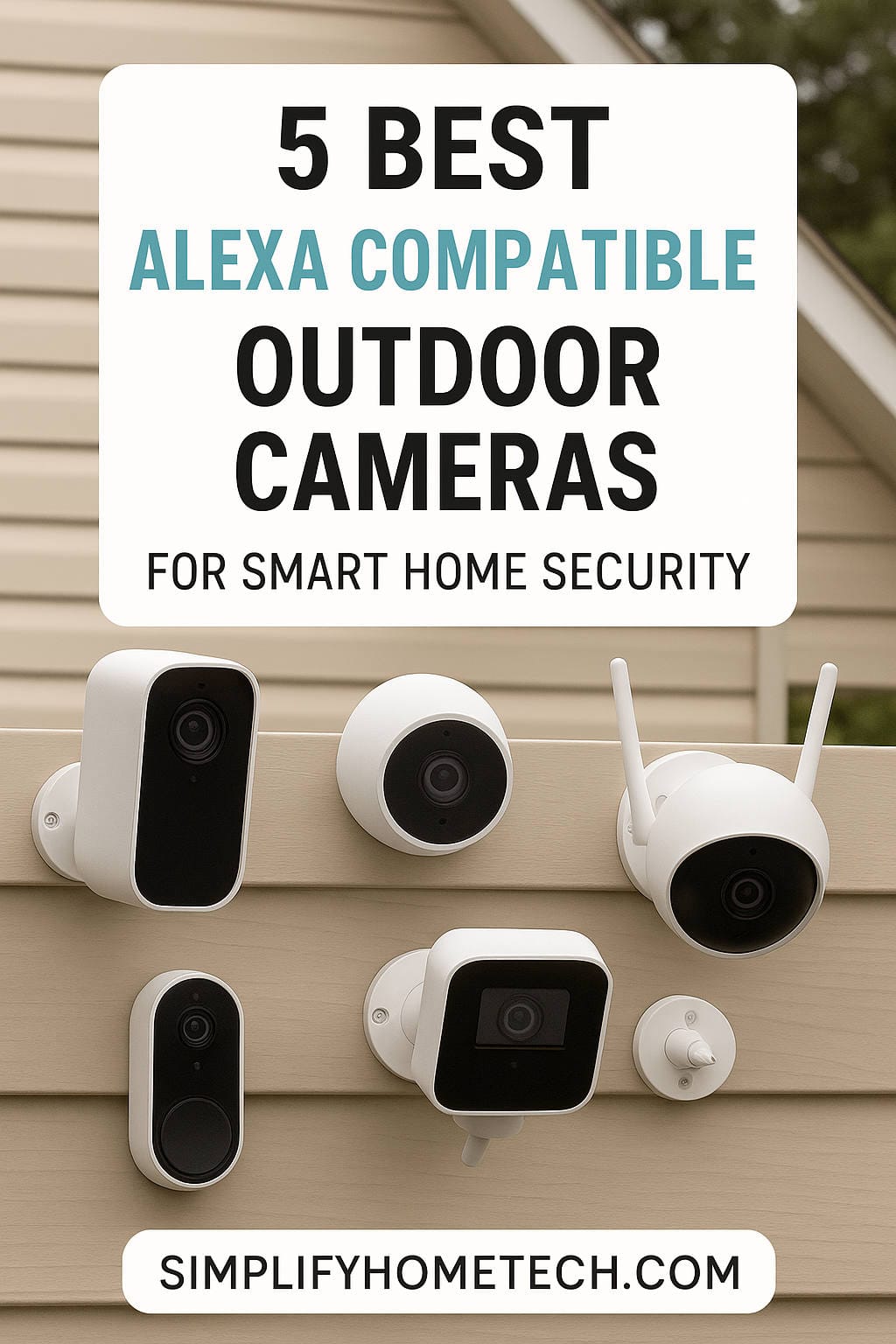
A good outdoor security camera should do more than record motion. In an Alexa-powered smart home, it should also fit naturally into your daily routine. You should be able to ask your Echo Show to show the driveway, have your smart lights turn on when someone approaches, or speak to a delivery driver without reaching for your phone. That is the real value of an Alexa-compatible outdoor camera: it turns your security system into something you can see, hear, and control with your voice.
The challenge is that “works with Alexa” can mean different things. Some cameras are built closely around Amazon’s ecosystem and offer deeper, more dependable integration. Others support Alexa for basic live viewing but may not offer the same level of routine automation. This guide walks through the features that matter most, highlights strong camera options for different needs, and helps you choose a setup that feels useful rather than complicated.
Why Alexa Compatibility Matters for an Outdoor Camera
Alexa compatibility is not just a marketing checkbox. A well-integrated camera can stream live video to an Echo Show, support two-way talk, and trigger Alexa Routines when motion is detected. For example, you can create a routine that turns on porch lights and announces “Someone is at the front door” when the camera detects movement.
Not every camera handles those tasks equally well. Cameras from brands closely tied to Amazon, such as Blink and Ring, tend to offer the smoothest setup and the most reliable voice commands. Cameras from other brands can still work well with Alexa, but it is worth checking whether they support live view only or also support motion announcements and routine triggers. If deep Alexa control is important to you, prioritize cameras with native integration rather than basic compatibility.
What to Consider Before Buying an Alexa Outdoor Camera
Before comparing models, think about how you will use the camera and what ongoing costs may apply.
Power and placement. Battery cameras are easy to install almost anywhere, but you will need to recharge or replace batteries. Wired cameras provide continuous power but may require professional installation. Solar-powered models can reduce maintenance if the mounting spot gets enough sunlight.
Video quality. 1080p is the minimum for most homes, but 2K offers clearer detail for faces and packages. 4K is useful for large areas or license plate capture, but it also demands more storage and stronger Wi-Fi.
Storage and subscriptions. Some cameras include free local storage through a microSD card or hub. Others require a monthly cloud plan to view recorded footage. Always check whether live view is free and what happens when a subscription ends.
Alexa integration depth. If you want voice commands to feel instant and dependable, look for cameras designed for the Amazon ecosystem. If you use multiple smart home platforms, choose a camera that also supports Google Home, Apple HomeKit, or Matter.
Weather resistance. An outdoor camera should handle rain, dust, heat, and cold. Look for at least an IP65 weather rating and check the operating temperature range if you live in a harsh climate.
Wi-Fi strength. Outdoor cameras often sit far from your router. A weak signal can cause dropped live view, missed recordings, and slow alerts. Dual-band Wi-Fi or a camera with a strong antenna can make a noticeable difference.
The Best Alexa-Compatible Outdoor Security Cameras
Blink Outdoor 2K+ — Best Overall for Alexa Homes
The Blink Outdoor 2K+ is one of the most natural choices for an Alexa-focused home. Because Blink is part of Amazon’s family of brands, setup and voice control feel unusually simple. You can ask an Echo Show to show the camera feed, and the camera fits neatly into Alexa Routines.
It offers 2K video, a wide viewing angle, and a battery life rated at up to two years on standard AA batteries. That makes it a practical option for garages, side yards, and back doors where running power would be inconvenient. The main trade-off is that some advanced features, such as cloud recording and richer motion alerts, depend on a Blink Subscription Plan. Local storage is possible with a Sync Module and USB drive, but you need to plan for it.
Best for: Alexa users who want a reliable, low-maintenance camera that works smoothly with Echo Show devices.
Ring Outdoor Cam Plus — Best for Ring and Alexa Ecosystems
If you already use a Ring doorbell or Ring Alarm, the Ring Outdoor Cam Plus is an easy fit. It delivers sharp 2K video, a wide field of view, and dependable Alexa voice control. You can stream live video to an Echo Show and use two-way talk to greet visitors or warn off intruders.
The camera is available in wired and battery versions, which gives you flexibility. The biggest consideration is storage: Ring generally requires a Ring Home subscription to view recorded video. Live view and alerts are useful without a plan, but the camera becomes far more capable with one. If you are already paying for Ring coverage, this is a sensible addition.
Best for: Homes already invested in Ring devices that want familiar app controls and strong Alexa integration.
Arlo Essential XL (2nd Gen) — Best for Long Battery Life
The Arlo Essential XL is designed for people who do not want to climb a ladder every few weeks. Its battery is rated to last up to 16 months, depending on activity and settings, which makes it attractive for high-traffic areas or hard-to-reach mounting spots.
It offers clear video, color night vision, a built-in spotlight, and a siren. Alexa support is solid for live viewing and voice control, and the camera also works with Google Assistant. The catch is that recorded video requires an Arlo Secure subscription, and the battery is not removable, so you must take the camera down to charge it. Even so, the long battery life makes maintenance much less frequent than with many rivals.
Best for: Homeowners who want a wireless camera with minimal charging and do not mind a cloud subscription for recordings.
Eufy SoloCam S340 — Best for Solar Power and Free Local Storage
The Eufy SoloCam S340 is a strong pick for anyone who dislikes recurring fees. It includes a solar panel, so it can stay charged with sunlight, and it supports free local storage through a microSD card or HomeBase. That combination can significantly reduce long-term costs.
The camera uses dual lenses to provide a wide view and a zoomed view, and it has mechanical pan and tilt for broader coverage. Video quality is sharp, and Alexa support lets you stream footage to an Echo Show. The S340 is more expensive upfront, and some users find Alexa commands less polished than on Amazon-owned brands. Still, if you have a sunny mounting location and want to avoid subscriptions, it is a compelling option.
Best for: Alexa users who want solar power, pan-and-tilt coverage, and local storage without a monthly bill.
TP-Link Tapo Wire-Free MagCam — Best Value
The Tapo Wire-Free MagCam is a budget-friendly camera that covers the essentials well. It offers 2K video, color night vision, a long battery life rated at up to 300 days per charge, and support for both Alexa and Google Assistant. It also supports local storage through a microSD card, so you can record clips without a subscription.
Build quality and app polish may not match premium brands, and advanced AI detection may be more limited. But for buyers who want a capable outdoor camera without spending a lot, it is one of the better values available. It is a good choice for adding a second or third camera to a smart home without blowing the budget.
Best for: Budget-conscious smart home users who still want 2K video and Alexa voice control.
Aqara Camera Hub G5 Pro — Best for Multi-Platform Smart Homes
The Aqara Camera Hub G5 Pro is aimed at people who do not want to choose between smart home platforms. It works with Alexa, Apple HomeKit, Google Home, and SmartThings, and it can also act as a hub for compatible Aqara devices. That makes it unusually versatile.
It offers 2K video, AI-assisted motion detection, and local storage options. Alexa voice commands for live viewing work well, and the camera can fit into broader routines across platforms. The main drawbacks are price and power: it is wired, so you need an outdoor outlet or a professional installation. If your home mixes Alexa with HomeKit or Google, the G5 Pro is one of the most flexible cameras you can buy.
Best for: Smart homes that use Alexa alongside other platforms and want one camera that can bridge them.
Reolink Altas PT Ultra — Best for Continuous 4K Recording
The Reolink Altas PT Ultra is for buyers who need serious detail and do not want to run power cables. It records in 4K and uses a large battery that supports extended continuous recording, depending on settings. It also offers pan and tilt, auto-tracking, and optional solar support.
Alexa compatibility allows live viewing on Echo Show devices, and the camera works with Google Assistant as well. The trade-offs are significant: it is expensive, it relies on local microSD storage rather than cloud backup, and it does not support Apple HomeKit. For critical surveillance where detail matters, though, few wireless cameras offer this combination of resolution and recording flexibility.
Best for: High-end users who need 4K detail and continuous recording without a power cable.
Quick Comparison
| Camera | Best For | Resolution | Power | Storage | Alexa Integration |
|---|---|---|---|---|---|
| Blink Outdoor 2K+ | Overall Alexa experience | 2K | Battery | Cloud subscription and local option | Native and very smooth |
| Ring Outdoor Cam Plus | Ring households | 2K | Wired or battery | Cloud subscription | Native and reliable |
| Arlo Essential XL | Long battery life | 2K | Battery | Cloud subscription | Supported |
| Eufy SoloCam S340 | Solar and local storage | 3K dual lens | Solar and battery | Local and cloud | Supported |
| TP-Link Tapo MagCam | Value | 2K | Battery | Local and cloud | Supported |
| Aqara Hub G5 Pro | Multi-platform homes | 2K | Wired | Local and cloud | Supported with strong cross-platform support |
| Reolink Altas PT Ultra | Continuous 4K recording | 4K | Battery and optional solar | Local only | Supported |
How to Get the Most From Your Alexa Outdoor Camera
Start by naming your camera clearly in the Alexa app. Names like “Front Door,” “Driveway,” or “Back Garden” make voice commands easier and more natural. Next, create routines that add useful context. A motion trigger can turn on a porch light, play an announcement on an Echo speaker, or start recording on another compatible camera.
Check your Wi-Fi signal at the mounting location before you install the camera. A camera that works perfectly indoors may struggle outside if the signal is weak. If possible, place your router centrally or add a mesh Wi-Fi node near the camera.
Finally, review your storage plan. Local storage can reduce monthly costs, but cloud storage often makes it easier to review clips after an incident. Many cameras offer both, so choose the setup that matches your budget and comfort level.
Frequently Asked Questions
Do all Alexa-compatible cameras work with Echo Show?
Most cameras that advertise Alexa compatibility support live viewing on Echo Show devices, but the experience can vary. Some also support two-way talk and motion announcements; others only stream video. Check the specific model’s Alexa features before buying.
Do I need a subscription to use an Alexa outdoor camera?
Not always. Many cameras offer free live view and local recording. However, cloud recording, advanced person detection, and longer video history often require a subscription. Read the plan details carefully because costs can add up over time.
Which Alexa camera is best for local storage?
The Eufy SoloCam S340 and TP-Link Tapo MagCam are strong choices for local storage, and the Reolink Altas PT Ultra relies on local microSD storage. Blink also supports local storage with a Sync Module and USB drive, but some features still require a subscription.
Can I use an Alexa-compatible camera with Google Home or Apple HomeKit?
Some models support multiple platforms, but many do not. The Aqara Camera Hub G5 Pro is one of the most flexible options because it works with Alexa, Google Home, Apple HomeKit, and SmartThings. Always confirm platform support before buying.
What is the best outdoor camera for Alexa routines?
Cameras from Blink and Ring tend to offer the most dependable Alexa integration because they are closely tied to Amazon’s ecosystem. They are good choices if you want motion-triggered announcements, lights, and other routine actions.
Final Thoughts
The best Alexa-compatible outdoor security camera depends on how much you value deep voice integration, battery convenience, local storage, and video detail. For most Alexa households, the Blink Outdoor 2K+ is the easiest recommendation because it feels like part of the Amazon ecosystem rather than an add-on. Ring users should look closely at the Ring Outdoor Cam Plus, while anyone who wants to avoid charging batteries will appreciate the Arlo Essential XL.
If subscriptions are a concern, the Eufy SoloCam S340 and TP-Link Tapo MagCam offer appealing local-storage options. For multi-platform homes, the Aqara Camera Hub G5 Pro is the most versatile choice. And for buyers who need 4K detail without wires, the Reolink Altas PT Ultra stands out despite its higher price.
Whichever camera you choose, focus on the features you will actually use: reliable live view, sensible storage costs, strong Wi-Fi, and Alexa routines that make your home safer and easier to manage.
You might also like,