
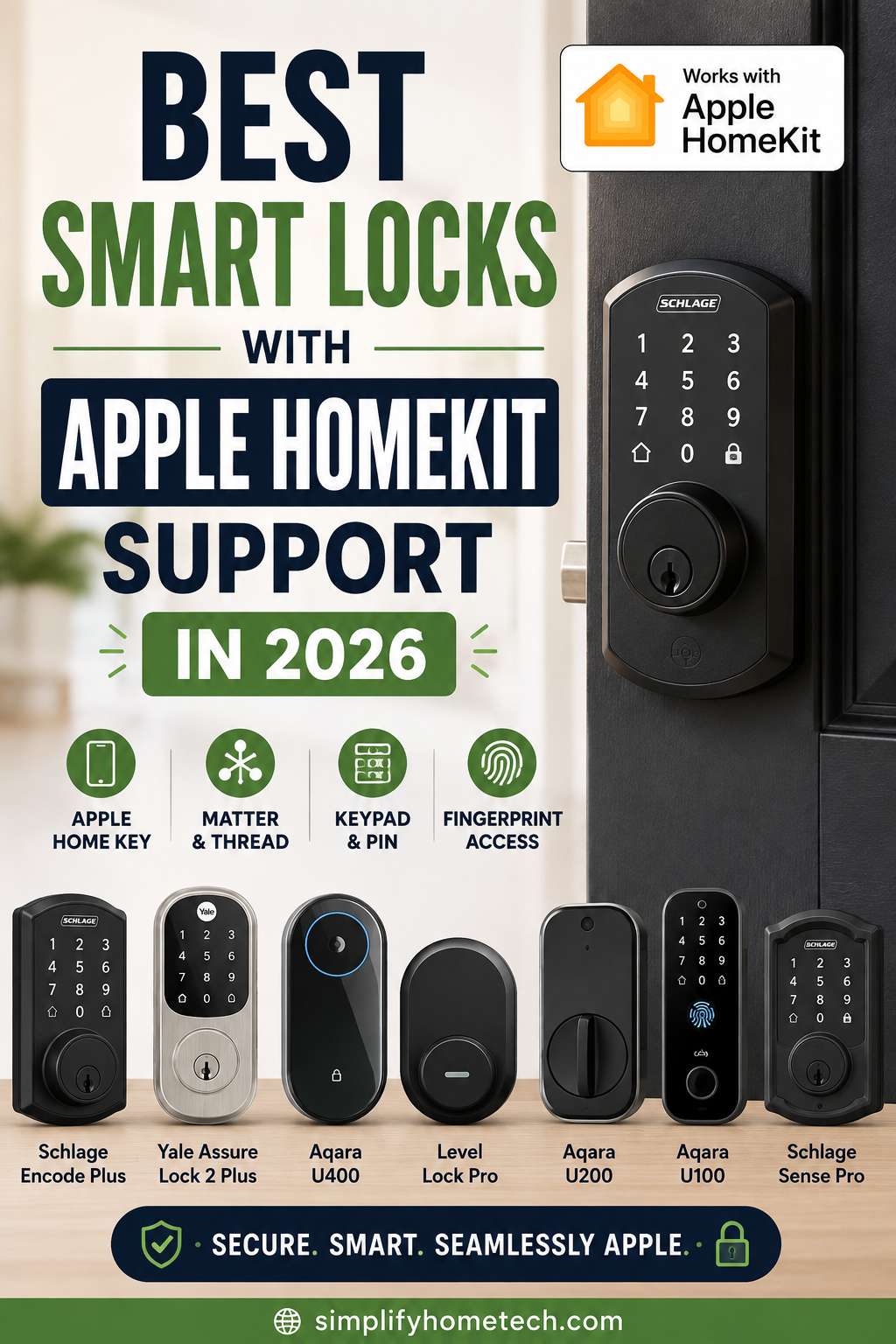
A smart lock should make getting into your home easier, not make the process more complicated. For iPhone and Apple Watch users, a HomeKit-compatible smart lock can go much further than a traditional key. Depending on the model, you can unlock the door with Apple Home Key, use a fingerprint or PIN, check the lock remotely, share access with family members, and create useful home automations. The challenge is choosing the right lock. Some models work with Apple Home but do not support Apple Home Key. Others include Home Key but rely on a separate hub for remote control. There are also newer options built around Matter and Thread, along with Wi-Fi models that keep connectivity simple. For 2026, the Level Lock Pro, Aqara Smart Lock U400, Schlage Encode Plus, Yale Assure Lock 2 Plus, Aqara Smart Lock U300, and Aqara Smart Lock U100 are among the most interesting choices for Apple-focused homes. The best option depends on your door, your preferred unlocking method, your existing smart-home setup, and how much you value features such as Wi-Fi, fingerprints, keypad entry, or hands-free unlocking.
Best HomeKit Smart Locks in 2026 at a Glance
| Smart Lock | Best For | Apple Home Key | Main Connectivity | Standout Feature |
|---|---|---|---|---|
| Level Lock Pro | Best overall | Yes | Matter over Thread, Bluetooth | Hidden smart-lock design |
| Aqara Smart Lock U400 | Best advanced entry | Yes | Matter over Thread, Bluetooth, UWB | Hands-free unlocking |
| Schlage Encode Plus | Best Wi-Fi model | Yes | Wi-Fi | Built-in Wi-Fi and keypad |
| Yale Assure Lock 2 Plus | Best touchscreen | Yes | Bluetooth/Wi-Fi | Key-free touchscreen access |
| Aqara Smart Lock U300 | Best lever lock | Yes | Matter over Thread, Bluetooth | Fingerprint and Home Key |
| Aqara Smart Lock U100 | Best established fingerprint option | Yes | Bluetooth | Biometric entry |
What Is a HomeKit Smart Lock?
A HomeKit smart lock is a door lock designed to integrate with Apple’s smart-home platform. Today, you will often see the ecosystem referred to as Apple Home, but the goal is largely the same: control compatible devices from the Home app and connect them to Siri and home automations. The important point is that not every Apple-compatible smart lock offers the same experience. A basic model may let you lock or unlock the door through the Home app. A more advanced model can support remote access, notifications, automation and Siri commands. The most seamless option for many Apple users is Apple Home Key, which allows a compatible iPhone or Apple Watch to act like a digital key. With Home Key, the credential is stored in Apple Wallet. On supported devices, Express Mode can make unlocking even simpler because you may not need to open the Home app first. That distinction matters when shopping. A product that says it works with Apple Home is not automatically a Home Key lock.
What Is Apple Home Key and Why Does It Matter?
Apple Home Key is one of the biggest reasons to consider a smart lock designed specifically for the Apple ecosystem. Instead of opening an app, finding your lock and waiting for a connection, you can use a compatible iPhone or Apple Watch near the lock. In everyday use, this feels much closer to tapping a payment card than operating a traditional smart-home device. Home Key can also make access easier for households where several people use Apple devices. Depending on the lock and setup, users may have their own digital access while physical keys become a backup rather than the main method of entry. That said, Home Key should be viewed as one part of a complete access system. A good smart lock should still provide a reliable alternative for situations such as a dead battery, a forgotten phone, or a guest who does not use Apple devices.
1. Level Lock Pro: Best Overall HomeKit Smart Lock
The Level Lock Pro is one of the strongest all-around choices for an Apple-focused smart home, especially if you prefer your technology to stay out of sight. Its biggest advantage is the design. Rather than placing a large touchscreen or oversized electronic housing on the outside of the door, Level integrates the smart hardware into the lock itself. From the street or hallway, the door can still look remarkably similar to a conventional deadbolt. That makes the Level Lock Pro particularly appealing for homeowners who want smart functionality without making the front door look heavily automated. The lock also brings together Apple Home Key, Matter over Thread, Bluetooth, automatic locking features and door-status monitoring. The ability to distinguish whether the door is actually open or closed is useful because a lock can technically be in the locked position while the door itself is not fully shut.
Why the Level Lock Pro stands out
The strongest argument for this model is balance. You get a modern smart-home platform without having to sacrifice the appearance of the door. Its support for Matter over Thread also gives it a more flexible foundation for users who have a mixed smart-home ecosystem. Battery life is another consideration. Level rates the Lock Pro for extended operation on a CR2 battery under typical conditions, although actual runtime depends on usage, connectivity and environmental factors.
Who should choose the Level Lock Pro?
This lock is a particularly good match for homeowners who:
- Primarily use Apple devices
- Want Apple Home Key
- Prefer a discreet design
- Want Matter and Thread support
- Do not need a built-in keypad
There is one important limitation. The minimalist design means keypad access is not built into the main lock in the same way it is on models from Schlage or Yale. Anyone who specifically wants PIN entry may need a separate accessory.
2. Aqara Smart Lock U400: Best for Hands-Free Home Key
The Aqara Smart Lock U400 takes Apple-oriented convenience a step further by combining Home Key with Ultra Wideband technology. That matters because UWB can support a more location-aware unlocking experience. Instead of treating the phone as nothing more than a key that must be deliberately tapped against the lock, the system can use proximity information to create a more hands-free approach. For some homeowners, this could be the closest thing to a “walk up and unlock” experience. The U400 also offers several other entry methods, including fingerprint recognition, PIN codes and NFC. That flexibility is useful in a busy household because each person can use whichever method is most convenient.
Why the U400 is different
The biggest advantage is choice. You can use Apple Home Key when carrying an iPhone or Apple Watch, a fingerprint when your hands are occupied, or a keypad code when giving someone access without issuing a physical key. It also supports Matter over Thread, making it a more modern option for households building a multi-platform smart home.
What to consider before buying
The U400 has a more noticeable electronic design than the Level Lock Pro. That is not necessarily a disadvantage, but buyers looking for a traditional-looking lock may prefer a more discreet model. Battery performance can also vary according to how often you use the lock and which connectivity features are active. Smart locks with several radios and advanced recognition features may consume power differently from simpler Bluetooth-based models.
3. Schlage Encode Plus: Best HomeKit Smart Lock with Built-In Wi-Fi
The Schlage Encode Plus is a strong option for anyone who wants Apple integration without building a more complicated connectivity setup. Its built-in Wi-Fi is one of the main reasons to choose it. Instead of depending entirely on a separate bridge for internet-based control, the lock connects directly to your wireless network. That makes remote management straightforward. You can check the lock, control it remotely, manage access codes and use Apple Home features from a compatible setup. The Encode Plus also has a conventional keypad, which gives it an advantage for households that regularly need PIN-based access.
Why the Schlage Encode Plus is a practical choice
This model works especially well for families because individual entry codes can be more convenient than distributing physical keys. It also gives you a physical backup key, which is worth keeping even if most daily entry happens through Home Key or the keypad. Schlage’s established lock hardware is another reason the Encode Plus remains relevant. You are not just buying a smart-home accessory; you are replacing a core piece of your home’s physical security hardware.
The trade-off with Wi-Fi
Wi-Fi makes remote connectivity simple, but it can also increase power consumption compared with some low-power smart-home technologies. That means battery management becomes particularly important. Keep notifications enabled for low battery warnings, and replace the batteries promptly rather than waiting until the lock becomes unreliable.
4. Yale Assure Lock 2 Plus: Best Touchscreen Home Key Lock
The Yale Assure Lock 2 Plus is an excellent choice for homeowners who want Apple Home Key but also want a modern touchscreen on the outside of the door. The touchscreen provides a familiar way to enter a PIN without carrying a key or opening an app. At the same time, iPhone and Apple Watch users can rely on Home Key for faster entry. This combination gives the Yale an advantage in households where not everyone wants to use the same unlocking method.
Why the Yale Assure Lock 2 Plus works well for families
A family might use Home Key for everyday entry while giving a trusted relative, cleaner or contractor a temporary code. That flexibility can be much easier than copying physical keys or creating separate accounts for every occasional visitor. Yale also offers configurations with different connectivity options, allowing buyers to choose a setup that better fits their smart-home requirements.
Where the Yale may not be ideal
The touchscreen housing is more visible than the internalized design used by Level. If appearance is your top priority, the Yale may feel more obviously “smart.” It is also important to measure your existing door before buying. Smart-lock compatibility depends on more than just whether you currently have a deadbolt.
5. Aqara Smart Lock U300: Best HomeKit Lever Lock
Most smart-lock comparisons focus almost entirely on deadbolts, but not every door uses one. The Aqara Smart Lock U300 is particularly useful for doors equipped with lever-style hardware. This makes it an attractive option for offices, side entrances, garages and interior doors where a traditional deadbolt lock is not suitable. The U300 supports Apple Home Key, fingerprint unlocking, NFC, PIN entry and Matter over Thread.
Why the U300 is worth considering
Its fingerprint reader is integrated into the handle, so unlocking can be as simple as touching the designated sensor. That makes the U300 particularly convenient when you have something in your hands and do not want to reach for your phone. It also provides several backup access methods, reducing your dependence on any single technology.
Check your door before purchasing
This is especially important with a lever lock. The correct smart lock must match the door’s dimensions and existing hardware configuration. Door thickness, hole placement and backset can all affect whether the installation will work. A smart lock is not truly an upgrade if it requires extensive modification to a door that was never designed for it.
6. Aqara Smart Lock U100: Best for Fingerprint and Apple Integration
The Aqara Smart Lock U100 is an older design compared with some of Aqara’s newer models, but it remains an attractive choice for users who want several entry methods in one device. Its fingerprint reader is especially useful for households where some people prefer biometric access instead of a phone or PIN. It also supports Apple Home and Home Key, making it a practical fit for iPhone users who want a more traditional keypad lock with biometric authentication.
Why choose the U100?
The U100 makes sense when fingerprint access is a priority but the more advanced features of newer models are not essential. For example, you may not need UWB-based unlocking if a fingerprint reader, keypad and Home Key already cover the way your household enters the home. That is often a better buying strategy than choosing the newest lock simply because it has more features.
HomeKit vs. Apple Home Key: What’s the Difference?
This is one of the easiest smart-lock specifications to misunderstand. Apple Home compatibility refers to integration with Apple’s smart-home platform. Depending on the product, that can include Home app control, Siri and automations. Apple Home Key is more specific. It lets a supported iPhone or Apple Watch function as a digital key through Apple Wallet. So when comparing locks, do not stop at a “Works with Apple Home” label. Check whether the exact model supports Home Key. For Apple users, Home Key can make everyday unlocking much faster, especially when Express Mode is available.
Matter and Thread: Are They Important for Smart Locks?
Thread and Matter deserve attention when choosing a new smart lock in 2026. Matter is designed to improve interoperability among smart-home platforms, while Thread is a low-power networking technology built for connected devices. A Matter-over-Thread lock can be particularly attractive if you expect to use several different smart-home ecosystems over time. However, Matter does not eliminate the need for compatible home infrastructure.
You still need a suitable Matter controller and, for Thread-based products, the appropriate Thread network support. Your existing Apple Home setup can therefore influence which lock is easiest to install and manage. Before buying a Thread-based lock, check your current Apple Home hub setup rather than assuming that every Apple device provides the same capabilities.
What to Check Before Buying a HomeKit Smart Lock
The most important specification is not always the one printed in the product’s headline. Start with door compatibility. Check the thickness of the door, backset, bore configuration and existing lock type. A product can be excellent but still unsuitable for your particular door. Next, consider how you want to unlock it. Home Key is ideal for Apple users, but a household may also benefit from a fingerprint reader, physical key, keypad or NFC option. Connectivity matters too. Wi-Fi can make remote access simple, while Thread can offer an efficient foundation for modern smart-home networks. Finally, look at battery management. A smart lock that is difficult to power or provides poor warning signs can quickly become frustrating.
How to Set Up a HomeKit Smart Lock Correctly
Installing the hardware is only part of the process. A reliable smart lock depends on both a good physical installation and a properly configured smart-home connection. Begin by making sure the deadbolt or latch moves smoothly by hand before connecting the electronics. This matters because smart motors can struggle when the lock is already experiencing friction or misalignment. Once the lock is installed, test it several times with the door open. This lets you verify the motor and app setup without risking an accidental lockout. After adding the lock to Apple Home, create your preferred automation and test it while you are still near the door. It is also worth confirming that low-battery notifications are active and that at least one backup entry method works.
HomeKit Smart Lock Troubleshooting: Common Problems and Fixes
Smart locks are generally reliable when installed correctly, but many problems come from setup issues rather than defective hardware.
The lock works manually but struggles electronically
Start by checking the physical alignment of the door. A motorized lock needs to move the bolt with relatively little resistance. If the bolt rubs against the strike plate or the door has shifted slightly, the motor may have to work much harder. Open the door and operate the lock electronically with the door unlatched. If it works smoothly in that position but struggles when the door is closed, alignment is the likely cause. Adjusting the strike plate or correcting the door position can reduce resistance because the motor no longer has to force the bolt into an imperfect opening.
Apple Home cannot find the lock
First, check whether the lock is receiving power and whether its companion app can still connect. Then verify that the phone is on the correct Wi-Fi network when required and that Bluetooth is enabled for the setup process. Restarting the lock and phone can also help because temporary Bluetooth or network sessions sometimes fail during pairing. A fresh connection gives the devices another opportunity to complete the discovery process cleanly. If you are using a Matter-over-Thread model, inspect your home hub and Thread setup as well. A missing or incompatible controller can prevent the lock from appearing correctly even when the physical hardware is working.
Home Key is not appearing or working correctly
Check that the exact lock model supports Home Key rather than only Apple Home. Then confirm that the lock has been added to the intended Apple Home and that your Apple device meets the model’s requirements. Removing and re-adding the accessory may help if the original pairing process did not complete properly. The reason this can work is that it clears the existing accessory relationship and forces a fresh Home configuration.
Remote access does not work
If local control works but remote control fails, the problem is often related to your home hub or internet connection. Check whether your Apple Home hub is online and functioning properly. For Wi-Fi locks, confirm that the lock itself still has a stable network connection. Remote control depends on more infrastructure than simply being able to stand next to the lock with your phone. Local Bluetooth communication can continue working even when the internet or home hub side of the setup has failed.
Battery life seems much shorter than expected
Start by checking whether the lock is struggling mechanically. A door that is slightly misaligned can force the motor to work harder every time it locks or unlocks. Repeated retries and high communication activity can also increase battery use. If the mechanical operation is smooth, replace the batteries with the type recommended by the manufacturer. Avoid mixing old and new batteries because inconsistent voltage can create unreliable operation. For rechargeable models, also verify that the battery is actually reaching a full charge.
The lock works in the manufacturer’s app but not in Apple Home
This usually points to an integration or platform setup issue rather than a dead lock. First, confirm that you are using the correct version and connection method for your lock. Then check whether the device is supposed to connect directly to Apple Home or through Matter. Re-pairing the accessory can resolve corrupted or incomplete integration data because it creates a new relationship between the lock and the Apple Home environment.
Do You Need a Home Hub for a HomeKit Smart Lock?
For basic local control, the requirements can differ depending on the specific lock and connection method. However, a home hub becomes particularly important for features such as remote access and certain automations. An Apple Home hub, such as a compatible HomePod or Apple TV, can provide the infrastructure that allows your smart home to remain connected when you are away. This is worth planning before purchasing a smart lock. Buying a Matter-over-Thread model without understanding your existing hub and Thread setup can make installation more confusing than expected.
Are HomeKit Smart Locks Safe?
A smart lock should not be judged solely by whether it has a good app. Physical security still matters. The lock’s construction, cylinder, deadbolt, strike plate, installation and the condition of the door itself all contribute to the overall security of the entrance. Digital security matters too. Use strong account credentials, keep the manufacturer’s app updated and install firmware updates when they become available. It is also wise to keep at least one dependable backup method. A physical key, PIN, fingerprint or emergency power option can make the difference between a minor inconvenience and being locked out. Most importantly, install the lock carefully. Even an excellent smart lock can perform poorly if the door frame is loose, the strike plate is misaligned or the bolt is constantly rubbing against the opening.
When Should You Replace an Existing Smart Lock?
Replacing a smart lock simply because a newer model exists is rarely necessary. An upgrade makes more sense when your current lock lacks a feature you genuinely need, such as Apple Home Key, reliable remote access, better battery performance or improved compatibility with your smart-home platform. You should also consider replacement when the lock has become mechanically unreliable, frequently loses connectivity, no longer receives meaningful firmware support, or has developed a battery compartment or motor problem. For homeowners who already have a working Apple Home-compatible lock, the biggest reason to upgrade in 2026 is usually convenience rather than basic smart-home functionality.
Which HomeKit Smart Lock Is Best for You?
The right choice depends on what you expect from your front door.
Choose Level Lock Pro for a discreet Apple setup
The Level Lock Pro is the best overall fit for people who want Apple Home Key, modern Matter and Thread support, and a clean appearance without a large exterior touchscreen.
Choose Aqara U400 for advanced unlocking
The U400 is a better fit when you want fingerprint entry, keypad access and the potential convenience of UWB-based hands-free unlocking.
Choose Schlage Encode Plus for straightforward Wi-Fi access
The Encode Plus makes sense when built-in Wi-Fi, a physical backup key and a familiar keypad matter more than having the newest Thread-based platform.
Choose Yale Assure Lock 2 Plus for touchscreen entry
The Yale is well suited to households that want a touchscreen keypad alongside Apple Home Key and flexible guest access.
Choose Aqara U300 for lever-style doors
The U300 is the strongest match here for doors that use lever hardware rather than a standard deadbolt.
Choose Aqara U100 for fingerprint access
The U100 remains worth considering when biometric entry is important but newer features such as UWB are unnecessary.
Final Verdict: The Best HomeKit Smart Locks in 2026
The best HomeKit smart lock is the one that fits your door, your Apple setup and your daily routine. For most Apple households, the Level Lock Pro offers the strongest overall combination of discreet design, Apple Home Key and modern connectivity. The Aqara Smart Lock U400 is more appealing for users who want advanced entry options and hands-free convenience. The Schlage Encode Plus remains a practical choice for built-in Wi-Fi and keypad access, while the Yale Assure Lock 2 Plus is a strong family-friendly alternative with touchscreen entry. For doors that use lever hardware, the Aqara U300 fills an important gap, while the Aqara U100 remains useful for buyers who want fingerprint unlocking without needing every newer feature. Before making a purchase, focus on three things first: door compatibility, Apple Home Key support, and the connectivity your home already supports. Once those are sorted out, features such as fingerprints, keypad access and hands-free unlocking become much easier to compare. A smart lock should ultimately fade into the background and make your home easier to use. The best models in 2026 are doing exactly that by combining reliable physical security with the convenience of Apple Home.